Operations | Monitoring | ITSM | DevOps | Cloud

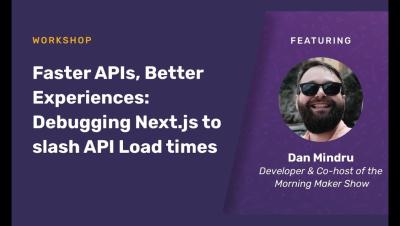
Faster APIs, Better Experiences: Debugging Next.js to slash API Load Times with Dan Mindru

From sluggish API calls to elusive bugs, debugging your Next.js application doesn’t have to mean hours of staring at logs and deciphering dashboards. Join Dan Mindru, co-host of the Morning Maker show, as he shows you how to debug errors and performance issues using Sentry’s Tracing and Session Replay. We’ll start by diving into API performance optimization, where you’ll learn to identify and fix bottlenecks efficiently. Next, see a live demo of how Dan uses tracing and session replay to capture and replay user sessions to fix issues across their stack.

Testing Golang with httptest

Go, often referred to as Golang, is a popular programming language built by Google. Its design and structure help you write efficient, reliable, and high-performing programs. Often used for web servers and rest APIs, Go offers the same performance as other low-level languages like C++ while also making sure the language itself is easy to understand with a good development experience.

How to Get Started with GoMock

GoMock is a powerful tool for generating mock objects in Go, making it an essential asset for developers aiming to write advanced unit tests. By simulating the behavior of real objects, GoMock allows you to test your code in isolation, ensuring that each component functions correctly on its own. This capability is particularly useful in a language like Go, where interfaces play a crucial role in defining the behavior of different components.

How to parameterize Playwright projects

In a previously released YouTube video, I explained how and why Playwright fixtures perfectly match with page object models. Combining the two allows you to hide setup instructions and keep your tests clean. Page object models no longer have to be initialized in every test case. To be upfront — I'm a fixture fanboy! But what if you need to pass additional configuration to your page object models? When options are hidden in a fixture, you can't configure how a class is initialized, right? Wrong!

Simplifying AWS Testing: A Guide to AWS SDK Mock

Testing AWS services is an essential step in creating robust cloud applications. However, directly interacting with AWS during testing can be complicated, time-consuming, and expensive. The AWS SDK Mock is a JavaScript library designed to simplify this process by allowing developers to mock AWS SDK methods, making it easier to simulate AWS service interactions in a controlled environment. Primarily used with AWS SDK v2, AWS SDK Mock integrates with Sinon.js to mock AWS services like S3, SNS, and DynamoDB.

How to parameterize and configure your custom Playwright fixtures

Join Stefan Judis in this Playwright tutorial, where he explains how to make your custom Playwright fixtures configurable using "option fixtures". Stefan briefly explains the fixture concept but then focuses on creating an option fixture configurable on a global, project, and spec file basis.

Setting Up Efficient Kubernetes Environments for Developers

Kubernetes has transformed how developers build, test, and deploy applications, providing a consistent platform for managing containerized workloads. Setting up efficient Kubernetes clusters is crucial for streamlining the development process, reducing time-to-market, and ensuring that applications run reliably from development to production.
Sponsored Post

Seasonal Holiday Readiness Testing with Production Traffic

Many businesses depend on seasonal products, offerings, and campaigns. Seasonal traffic usually refers to high traffic levels because of festival seasons like Thanksgiving and Christmas and sales events like Black Friday, Cyber Monday, and Boxing Day. These impact a wide range of industries, such as travel, hospitality, social activities, and, most prominently, e-commerce. If your business is primarily run online, you'll need your applications to be elastic and flexible enough to handle this significant increase in traffic to cater to demand and also maintain a good user experience for your customers.

Top 10 API Monitoring Tools in 2024 [Including Open Source]

API monitoring has become increasingly important due to the growth of microservices, cloud-native architectures, and distributed systems. APIs play a crucial role in facilitating communication between systems, and even small API failures can cause significant disruptions in service delivery. This article delves into the best API monitoring tools available in 2024, encompassing both proprietary and open-source options, to assist you in selecting the most suitable solution for your business requirements.

Using a Mock Server: Understanding Efficient API Testing

API testing is critical to modern software development, ensuring that applications communicate seamlessly and function as expected. However, setting up testing environments that accurately mimic real-world conditions can be complex, time-consuming, and costly. APIs often change, and dependencies on third-party services or backend systems can delay the development process, making it challenging to conduct reliable tests in real-time.

Streamline Your Maintenance Modes: Automate DX UIM with UIMAPI

The UIMAPI is a RESTful API that allows you to perform almost any action in your DX UIM environment programmatically. The Swagger front-end serves as a guide, enabling you to execute REST endpoints manually, but many customers prefer to automate these actions using a program.

Exploring Practical Applications of Facility Management Software

Over the recent past, facility management has accepted transformational change by embracing advanced technology that replaces traditional processes with more sophisticated computer-aided technologies. This has been occasioned by the increasing demand for effective, resource-, time- and cost-conscious management of organizational operations. Managers can now employ complex applications and software that provide real-time data and planning features, thus setting a benchmark for the facility industry across various sectors.

Speedscale vs Coder: Ephemeral Developer Environments for Different Needs

Speedscale and Coder are two distinct tools that, while both aim to increase developer productivity, serve fundamentally different purposes. Both provide software development environments for enhancing productivity and collaboration in software development teams.

The Ultimate Guide to a Smooth Dev Environment Setup: Tips and Best Practices

Setting up a development environment can be challenging, especially for new developers or those adapting to new developer tools. A well-configured environment is crucial for efficient coding, testing, and debugging, enhancing productivity and minimizing errors. This guide will walk you through everything you need to know, from the basics to advanced customizations for different operating systems.

6 Ways to Protect Your API Against Attacks

When configured correctly, Application Programming Interfaces (APIs) enable seamless data exchanges across platforms, assisting with cross-app integrations and making microservices possible. As APIs have become integral in modern applications, we as developers must learn how to protect them against impending threats. The State of API Security report found that 74% of respondents have experienced at least three API-related breaches since 2021, so the threat here is very real.

Mastering Local Preview Environments: A Beginner's Guide

Local preview environments are transforming how developers test and validate code changes before merging them into the main codebase. Acting as temporary cloud environments, they provide a production-like setting where new features and bug fixes can be tested in isolation, catching issues early and streamlining the development code review process. These environments are crucial for enhancing development velocity, especially in CI/CD workflows used by DevOps engineers and QA teams.

Demystifying API Monitoring and Testing with IPM

APIs are the hidden heroes of our digital world. They are invisible to many customer experiences. As a result, it can be difficult to think of monitoring or testing them with a customer-focused lens. In this blog post, we hope to remove this difficulty and shine a light on the different ways Internet Performance Monitoring (IPM) can approach various API testing use cases with an eye on ensuring reliable, resilient experiences.

Boosting Kubernetes Developer Productivity: Top Tools and Strategies for Efficient Development

Developer productivity is not just about writing code faster—it’s about creating efficient, self-service environments that minimize friction and reduce the time from development to deployment. In the context of Kubernetes clusters, enhancing productivity means leveraging the right tools and workflows to streamline development, reduce errors, and speed up feature releases. This guide explores the key strategies and tools that can significantly boost productivity in Kubernetes environments.

Attach Screenshots to Your Playwright Test Reports

Today I want to show you how you can attach your screenshots directly to Playwright's test reports. Imagine you have a simple Playwright test that navigates to Checkly. You take a screenshot and store it in screenshots/home.png. Then, you click a link in the main navigation, expect a specific heading to be visible, and take another screenshot. When you run this test using npx playwright test, the test passes, and you find the screenshots in the /screenshots directory.

How to detect broken links with Playwright

One of our Slack community members recently asked if they could use Playwright and Checkly to detect broken links on their sites. They certainly can, and the answer to this question covers so many different Playwright concepts that it makes a perfect case for sharing Playwright features with the community. Let's unveil some links going nowhere! If you prefer the video version of this tutorial,

Top 5 Local Development Environments for Faster Coding

The rise of remote development environments, like GitHub Codespaces, has certainly captured the spotlight in recent years. These cloud-based solutions offer flexibility and ease of access, making them an attractive choice for many developers. However, it’s important not to overlook the tried-and-true advantages of local development environments. Hosting your code locally on your machine can provide a more controlled, efficient, and secure environment for your development needs.

How to detect broken links with Playwright Test

Join Stefan Judis in this Playwright tutorial, where he explores detecting broken links using Playwright and/or Checkly. Stefan covers essential techniques such as soft assertions, crafting custom error messages for clearer debugging, and using page context-aware requests to check for URL status codes. Whether you're dealing with empty links, nonexistent domains, or 404 errors, this video provides all the tools needed to enhance your testing strategy effectively.

Understanding Modern Development Environments: A Complete Guide

A development environment is a crucial setup of tools, configurations, and processes that developers use to build, test, and deploy software. Whether it’s a local setup on a developer’s local machine or a remote cloud-based solution, a development environment’s primary goal is to provide a seamless space where code can be written, tested, and executed efficiently. It’s never been more important to have a streamlined setup of cloud and development environments.

Step-by-Step Guide to Integrating AppNeta with Grafana via API

AppNeta comes pre-loaded with a number of powerful dashboards and reports so you can quickly and easily understand your network performance. But what if your team uses Grafana to visualize its network operation monitoring data? Simple—just set up a connection between AppNeta’s API and Grafana. You’ll be able to visualize all your networking data in one place. This article is a step-by-step guide to set up a connection between AppNeta and Grafana using AppNeta’s API.

Mastering Golang Mocks for Efficient Testing and Improved Code Quality

Although GoMock is one of the most popular ways to create mocks in Golang, it’s important to understand the broader landscape of mocking methods in the language to fully leverage its potential value in testing. Mocking is a powerful technique that allows developers to isolate their code, improve test reliability, and ultimately enhance overall code quality.

The Best API Monitoring Tools

With the continual rise of website applications and cloud-based microservices effective API monitoring has become crucial. APIs outline the methods and data formats that applications can utilize to request and exchange information. They allow developers to access the functionality of a software component or service without needing to comprehend its internal workings.