Operations | Monitoring | ITSM | DevOps | Cloud

Autoscaling Checkly Private Location Agents in Kubernetes with KEDA

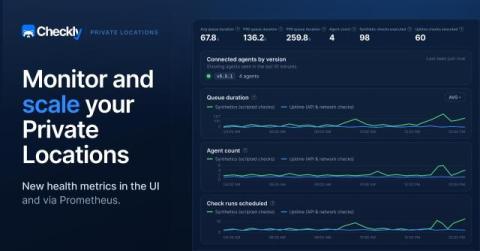
Monitoring load is not always steady. A team might add a new batch of checks or run several ad hoc tests during a rollout. When that happens, your Private Location agents need to pick up more work at once. If there aren’t enough agents available during a burst, checks start piling up in the queue, which can delay or disrupt check execution. But solving this by running a high number of agents around the clock has the opposite problem: most of that capacity sits idle until the next busy period.

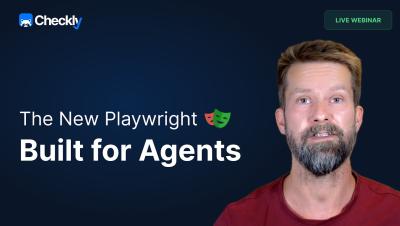
The Checkly Playwright Reporter: Live Demo, Rocky AI RCA & Production Monitoring

Your Playwright tests catch bugs. The hard part is figuring out what actually broke — and sharing that context with your team. This session shows exactly how the Checkly Playwright Reporter solves that: one shared home for all your test runs, AI-powered root cause analysis, and a direct path from failing test to production monitor. María de Antón, PM for Playwright features at Checkly, runs a live demo on a real app with real failures.

Monitoring from Private Locations

Not everything worth monitoring is on the public internet. In this 30-minute hands-on session, Daniel Paulus deploys four Checkly private location agents on AWS EKS with Terraform, then uses a coding agent to scaffold 200 internal checks in seconds — uptime, TCP, DNS, ICMP, and Playwright browser checks against legacy apps that never leave the firewall.

Detect, Communicate, Resolve: Checkly's Agentic Workflow End-to-End

Coding agents are the fastest-growing audience for the Checkly CLI, and we're doubling down on them. In this session, Stefan hands Claude a real e-commerce app, lets it set up monitoring with `npx checkly init`, generate Playwright tests through MCP, and walk an actual alert end-to-end with Rocky AI in the loop.

Two AI agents, one incident: Rocky AI comes to the terminal

A Playwright Check fails at 2 am. The login flow is broken. Until today, that alert triggered a human to get up, open the Checkly dashboard, copy Rocky AI root cause analysis (RCA), and then tell an agent to get to work. There were two AI agents, one incident, and no way for them to talk to each other. The extended checkly checks and new checkly rca CLI commands close that gap. Your coding agent can now pull Rocky AI's analysis into its ongoing work, read the diagnosis, and go fix the code.