Operations | Monitoring | ITSM | DevOps | Cloud

Creating an AfterHours OnCall Schedule

Learn how to create and configure an **on-call schedule in OnPage** with this step-by-step how-to guide. In this video, we walk through how to select a group, create a new schedule, assign on-call team members, set escalation priority, and configure coverage for specific days and times. Using OnPage’s on-call scheduling capabilities, teams can ensure the right responders are automatically available for critical alerts, incidents, messages or calls during designated coverage periods, including after-hours, weekends, and other shifts.

How to Create and Import Contacts in the NEW OnPage Web Console

A step-by-step guide for OnPage’s new web management console, including how to create a single contact and how to create multiple contacts at once by importing an Excel spreadsheet. Feel free to comment below with any questions! Whether you’re in IT or healthcare, OnPage helps teams manage critical alerting and communication to ensure urgent messages reach the right people at the right time. If you’re not yet using OnPage or want to see how it works, request a demo or speak with a member of our team to learn more.

Creating Escalation and Regular Groups in OnPage

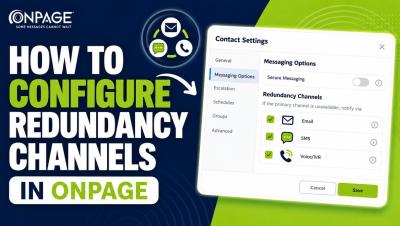
Learn how to create and configure an Escalation Group in OnPage with this step-by-step how-to guide. This video walks through how to create an escalation group, a regular group, configure escalation intervals and factors, enable Round Robin, set failover OPIDs, and add a Fail Report email address. With escalation groups, OnPage can route critical alerts to team members in a predefined order and automatically move to the next responder when needed—helping ensure time-sensitive notifications don’t go unanswered.

AT&T Email-to-Text Replacement: Best Alternatives for Critical Alerts

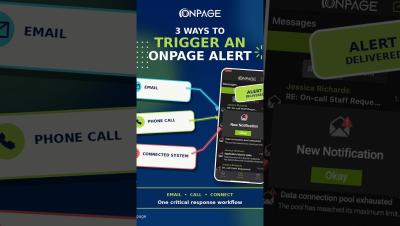
AT&T is permanently shutting down its email-to-text and text-to-email gateway, which means alerts sent to @txt.att.net or @mms.att.net no longer reach phones. For IT teams, MSPs, facilities teams, building management, utilities and incident response teams in general, this creates a serious gap. Critical alerts from monitoring tools, ITSM platforms, building systems, IoT devices, and other operational systems still need to reach the right person quickly, especially after hours.

On Call During the FIFA World Cup? Here's How IT Teams Stay Connected

Watching the FIFA World Cup with friends while on call? Being on call doesn't have to mean missing out on life's biggest moments. Whether you're at a packed sports bar, hosting a watch party, or cheering on your favorite team, critical incidents can happen when you least expect them. That's why IT teams rely on OnPage's persistent, attention-grabbing mobile alerts. Unlike emails, texts, or traditional notifications that can get lost in the noise, OnPage's critical alerts are designed to break through distractions and ensure urgent issues are never missed.

Creating Schedule Overrides in OnPage

Learn how override schedules work in OnPage and how admins can quickly manage temporary on-call coverage changes without rebuilding the entire schedule. With OnPage overrides, teams can adjust coverage for vacations, sick days, shift swaps, after-hours changes or last-minute availability issues. During the override window, alerts are automatically routed to the covering responder. Once the override ends, the schedule returns to the regular on-call rotation.

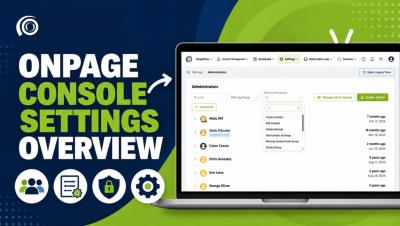
What's New in the Updated OnPage Enterprise Management Console

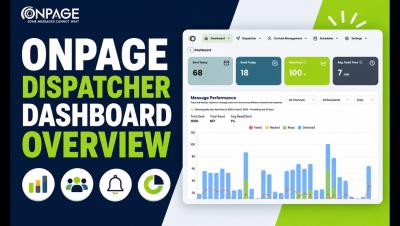
Take a quick walkthrough of what’s new in the updated OnPage Enterprise Management Console. In this video, we highlight the latest updates designed to give admins more visibility, flexibility and self-service control across critical communication workflows. You’ll see what’s new across the console, including: The updated Enterprise Management Console helps teams manage on-call schedules, critical alerts, escalation workflows and Dedicated Lines more efficiently from one centralized place.

How Property Managers Can Respond Faster to Critical Issues | OnPage

When managing properties and facilities remotely, every minute matters. Whether it's an HVAC failure, maintenance request, or after-hours emergency, critical issues need immediate attention. Traditional communication methods like phone calls, emails, and text messages can easily be missed, delaying response times and impacting tenant satisfaction. In this video, discover how OnPage helps property managers and facilities teams receive critical alerts in real time, coordinate responses faster, and maintain visibility throughout the incident lifecycle.

Tap-to-call | OnPage New Feature Release

Introducing Tap-to-Phone Call in OnPage. When critical incidents require more than messaging, teams need a fast way to connect. With Tap-to-Phone Call, users can place a direct phone call to group members directly from within an OnPage conversation. By simply tapping the phone icon, responders can transition from secure messaging to live voice coordination through their mobile carrier network, helping teams communicate faster when every second counts.

Round-Robin Alert Distribution in OnPage | Incident Management Application

Introducing Round-Robin Alert Distribution in OnPage. When every alert starts with the same responder, critical issues can pile up fast and put too much pressure on the same on-call team members. With Round-Robin Alert Distribution, OnPage can route alerts sequentially across responders, helping teams distribute urgent work more evenly, reduce workload concentration and support a more balanced on-call experience.