
Operations | Monitoring | ITSM | DevOps | Cloud

Path to OTel Code Owner: Lessons from otelhttp (Grafana OpenTelemetry Community Call #10)

In this episode of the Grafana OTel Community Call, we're joined by Sonal Gaud, code owner of otelhttp on opentelemetry-go-contrib. We'll trace her path from writing test-coverage PRs to owning the instrumentation library that most Go services use to get HTTP traces and metrics for free — and go deep on how otelhttp actually works under the hood: context propagation, metrics/attributes via the Labeler, route cardinality, and how the library evolves alongside HTTP semantic conventions.
Grafana Campfire - What's New in Grafana Git Sync - (Grafana Community Call - Sept 2026)

Join us for a follow-up Grafana Campfire to explore what we’ve built in Git Sync since December 2025. We’ll cover new and improved Git provider integrations and authentication options, smoother dashboard editing and pull request workflows, and more control over changes through signed commits, user attribution, and PR and commit conventions. We’ll also explore improvements to folder organization and permissions, READMEs alongside your dashboards, and clearer synchronization status.

Grafana Tempo + Pyroscope: Profiles Traces (Sept 2026 Community Call )

Profiles + Traces and span redaction Can't comment in the chat? You may need to create a channel. Join us live for an introduction to flame graphs. We’ll cover what they are, how to read them, and how to use them to find performance bottlenecks in your applications. Bring your questions! Grafana Cloud is the easiest way to get started with Grafana dashboards, metrics, logs, traces, and profiles. Our forever-free tier includes access to 10k metrics, 50GB logs, 50GB traces and more.

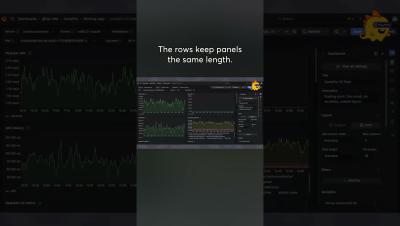
How to use Grafana auto grid dashboard option for flexible layout across devices

Learn how to use the auto-grid option, a flexible panel layout that adapts to varying screen sizes and dynamic content. Creators can now define the max number of columns or max height of panels, making dashboard layouts more responsive and maintainable.

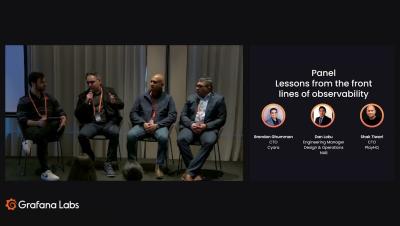
Alert fatigue, AI triage, and incidents: Lessons from observability experts at Cyera, PlayHQ & NAB

Observability looks perfect in a slide deck – in practice, it's messier. In this panel, engineering leaders from Cyara, PlayHQ, and National Australia Bank share what really happened when they scaled observability: unexpected cloud bills, alert fatigue, a weekend database outage caught by an AI-assisted triage agent, and a vendor dispute settled by a single chart. They also cover moving beyond legacy tooling, using AI to close the PromQL skills gap, and what's next – from agentic SDLC integration to continuous profiling. Real stories, real numbers, real lessons.

Grafana Campfire - Assistant powered Dynamic dashboards - (Grafana Community Call - August 2026)

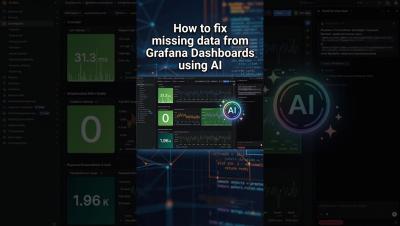
Many times, it feels like you're maintaining multiple versions of the same dashboard (with a slight modification), *OR* simply spending more time writing queries rather than actually looking at the actual data? In this Campfire community call, we're taking a deep dive into two things that are reshaping how Grafana dashboards get built: Dynamic Dashboards and the Grafana AI Assistant and showing you how to combine them to go from a blank canvas to a reusable, production-ready dashboard in minutes.

When to Use Grafana Assistant vs. MCP vs. gcx: Part 3

When should you use gcx? If Grafana Assistant is the brain and Grafana MCP is the easy hand, gcx is the power hand. Built for AI agents working in the terminal, gcx gives them deep access across Grafana Cloud—so they can pull telemetry, verify code, automate workflows, and access places MCP doesn’t. Coding agents? gcx. Need the full Grafana Cloud surface? gcx. Automating in CI/CD? gcx. Here’s where it fits, and when to use it — explained by Nicole van der Hoeven.

When to Use Grafana Assistant vs. MCP vs. GCX: Part 2

When should you reach for Grafana MCP? It’s one of the two “hands” in Grafana’s AI toolkit — and the easy one at that. MCP lets you bring Grafana into the tools you already use, like ChatGPT, Claude, or Cursor, without changing your workflow. No terminal? MCP. Want to stick with your favorite AI tool? MCP. Want easy tool discovery out of the box? MCP. Here’s where it fits, and when to use it — explained by Nicole van der Hoeven.