Operations | Monitoring | ITSM | DevOps | Cloud

New integration: OptiSigns

We’re excited to introduce our first Digital Signage integration with OptiSigns. You can now display your StatusGator board on TVs and digital signage screens, giving everyone in your office real-time visibility into vendor outages, maintenance events, and service health. The display updates automatically whenever monitored services change, helping teams stay informed without opening another app.

New Digital Signage integration: Rise Vision

We’re excited to add Rise Vision to StatusGator’s growing Digital Signage integration category. If your organization uses Rise Vision to power displays in offices, campuses, or shared spaces, you can now add a live StatusGator board to any screen. Show vendor outages, scheduled maintenance, and service health in real time so everyone stays informed without needing to check dashboards or notifications.

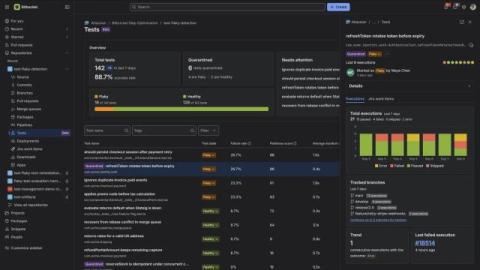
Two confident fixes missed this production bug

Every new signup posts a message to our Slack. The format is dull and reliable: Overnight this week one arrived like this: That trailing nothing was the entire incident. No error logs, no alerts. A returning user had signed up, our signup service had attached them to a tenant we deprovisioned back in December, and the only symptom in the whole company was a Slack message that ran out of words.

How to Choose the Right Infrastructure Monitoring Tool

A production service degrades, and one question decides the next hour: is it the server, the network, or a cloud dependency? Each layer usually reports into a separate console, so pinning down the answer can absorb an hour the business would rather not lose. The right infrastructure monitoring tool is what turns that hour into minutes. On paper, most monitoring platforms look identical. Each one promises full-stack visibility and shows a polished dashboard.

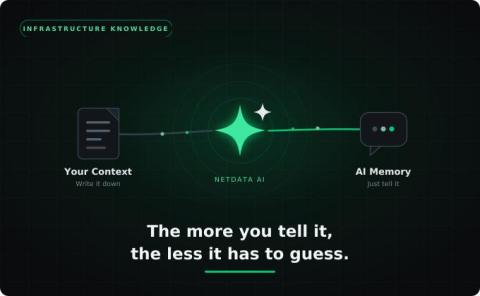
Building with AI: Our Approach to Responsible Agentic Development in Open Source

The tech world has been building up towards the shift to a fully agentic development life cycle for a few years now. AI is changing how software gets built. Across the Puppet ecosystem, we’re seeing a shift toward more agentic engineering workflows. AI helps generate code, shape documentation, and accelerate how Puppet modules evolve.

GCP Monitoring: A Complete Guide to Monitoring Google Cloud Applications and Infrastructure

Most production incidents in Google Cloud don't announce themselves as infrastructure problems. A checkout service on GKE starts timing out, a Cloud Function cold-starts under load, a Cloud SQL replica falls behind, and a Pub/Sub subscription quietly backs up until messages start expiring. None of that shows up as a red node in a compute dashboard. It shows up as slow requests, failed webhooks, and a support queue filling up faster than anyone can triage it.

Patching Alone Can't Keep Pace with Mythos. These 6 Nexthink Library Packs Can.

Most vulnerability programs were built around a known list of CVEs, scanned periodically and scored by severity. The Anthropic’s Claude Mythos era breaks that model, because the vulnerabilities that matter most are often undisclosed, unscored, and absent from any feed. The organizations that close the gap will be the ones that treat real-time exposure and remediation velocity as the core capability, not the patch backlog.

How Claude Mythos Changes the Future of Vulnerability Management: Fixing, Not Finding

Anthropic’s Claude Mythos shows how AI is making vulnerability discovery nearly infinite. Endpoint remediation is where IT teams win or lose. In April 2026, Anthropic introduced Claude Mythos Preview, an AI model that autonomously discovered thousands of previously unknown vulnerabilities across every major operating system and web browser. By late May, the running total had passed 23,000 potential findings, and the vast majority were still unpatched.

Shipped: API key scopes, grouped by what they actually do

Creating an API key used to mean sorting through categories organized around our internal structure, not how you’d use them, so finding everything you needed for a specific job meant guessing, or having someone on our team walk you through it. Now you can tell what each permission actually does at a glance.