
Operations | Monitoring | ITSM | DevOps | Cloud

AI inference, explained through one question

TL;DR Part 0 of a three-part series on building a documentation assistant with Aiven. This part gives you the vocabulary. Part 1 is the architecture. Part 2 builds the thing. Almost everything written about large language models explains how models get built. Very little explains what happens the other billion times, when a finished model sits there answering questions. That second thing is called inference, and it is where practically all of the engineering work actually lives.
FastAPI Shipped Three Breaking Changes in 21 Hours: What to Check

FastAPI released 0.146.0, 0.147.0, and 0.148.0 between Sunday afternoon and Monday morning (UTC), and each one is labeled a breaking change. None of them will crash your app on startup. They change what values your endpoints receive, which is the kind of change that passes CI and then shows up as odd data a week later. At Scout Monitoring, we monitor a lot of FastAPI apps, and a loosely pinned fastapi dependency is the most common way these releases will arrive.

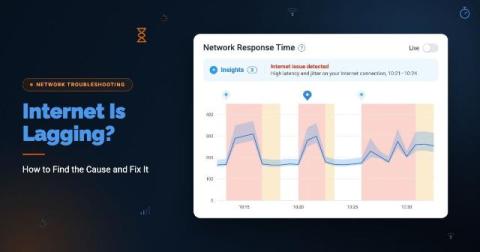
Internet Is Lagging? How to Find the Cause and Fix It

The speed test shows 500 Mbps. Yet Microsoft Teams calls keep turning into people talking over each other, the CRM pauses on every click, and remote employees are opening tickets because the Internet is lagging. Nothing looks broken, which is exactly what makes lag so hard to troubleshoot. Why is my Internet lagging? If your Internet is lagging, your connection is slow to respond, not necessarily slow to download.

The Auvik Spring 2026 roadmap

Our Spring 2026 product roadmap is built around the idea that AI network management should start with what’s actually happening on your network, not a blank prompt. Over the past six months we’ve built Auvik AI into alerting, troubleshooting, the remote terminal, and Command Runner. We’ve also added, faster fixes for servers and workstations, and a ServiceNow CMDB integration. We walked through all of this, plus what’s coming next, in our Spring 2026 roadmap webinar.

Cloud Cost Optimization in 2026: 10 Levers That Cut Your Compute Bill

Most cloud compute waste comes from paying for capacity your workloads do not use: over-provisioned requests, idle nodes, standby capacity, and per-service add-ons. The biggest savings come from changing how capacity is reserved and packed, not only from discounts or dashboards.

The 10 Best MCP Servers for DevOps and Cloud Infrastructure in 2026

The best MCP servers for DevOps depends on what you want an AI assistant to do: read code and pipelines, plan infrastructure as code, call one cloud’s APIs, observe production, or deploy and operate workloads. The safest setups combine scoped permissions, a read-only mode for investigation, confirmation before destructive actions, and an audit trail of every change.

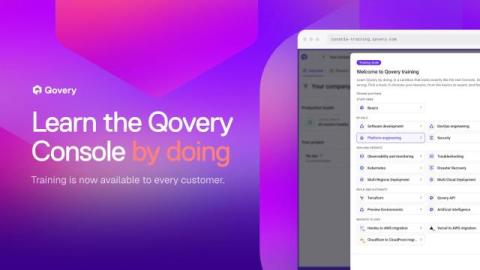
Introducing Qovery Training: Learn the Console by Doing, Before You Touch Production

Qovery Training is now generally available to every Qovery customer. It is a sandbox copy of the Console on fake data, with 18 tracks for software engineers, DevOps, platform and security teams, a simulated terminal and AI agent, and training spaces where admins pick the lessons and follow their team's progress. Romaric founded Qovery to make Kubernetes accessible to every engineering team. He writes about platform strategy, developer experience, and the future of cloud infrastructure.

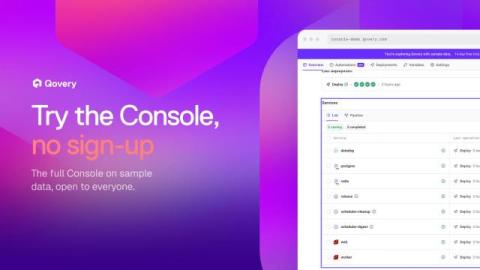
Try the Qovery Console Without Signing Up

The Qovery Console demo is open to everyone at console-demo.qovery.com. No account, no credit card, no cloud credentials: the full Console on sample data, with seven short product tours. Romaric founded Qovery to make Kubernetes accessible to every engineering team. He writes about platform strategy, developer experience, and the future of cloud infrastructure.

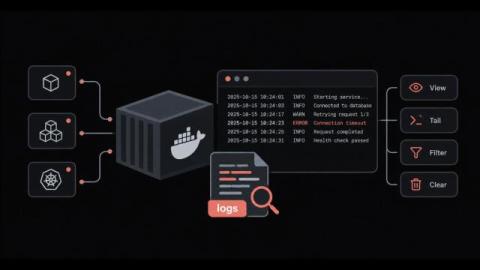
How to View, Filter and Manage Docker Logs Without Losing Them or Filling the Disk

Why does a container fail, restart and leave behind almost nothing useful when you go looking for the cause? Docker logs are the first place most engineers check during an incident, and they work well right up until the output goes missing. Sometimes it is buried under thousands of lines, and sometimes it is deleted along with the container. The docker logs command itself is simple. The difficulty comes from the settings around it, starting with the logging driver and where its files live on disk.