Announcing the Enhanced Usage Dashboard
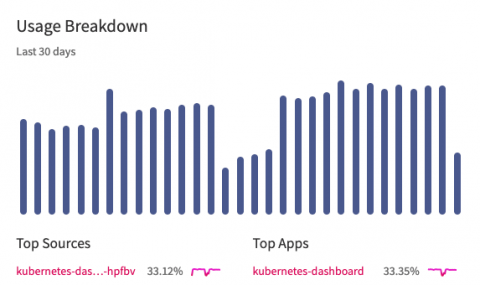
Many of our users are responsible for monitoring logs to detect sudden changes in volume or to control the budget. To help you with this goal, we’re excited to announce new enhancements to our usage dashboard.


Many of our users are responsible for monitoring logs to detect sudden changes in volume or to control the budget. To help you with this goal, we’re excited to announce new enhancements to our usage dashboard.
The number of open source components in proprietary apps continues to rise—a 2018 code audit found that there were 257 open source components per proprietary application. The same audit found that 57 percent of the average proprietary application codebase was open source.
Views may seem straightforward at first, but they hide a lot of power. On a very basic level, a view is a shortcut to a specific search query or filter. You can use views to display only a subset of logs, create alerts and graphs, export specific events, and even embed your log event feed on another website. In this post, we’ll present several tips and tricks for making the most out of views.
When logging applications to a centralized location like LogDNA, developers have two options: using a logging agent or using a logging library. Both approaches will get your logs to their destination, but choosing one over the other can have a significant impact on the design of your applications and infrastructure. In this article, we’ll explain the difference between logging via agents and logging via libraries, and which approach works best in modern architectures.
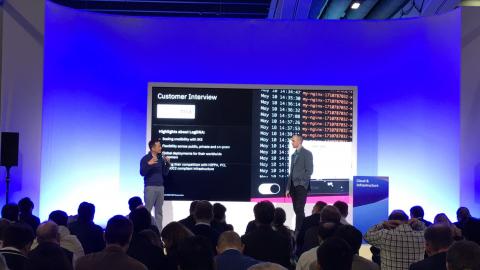
With sessions on cloud, big data, and A.I., to training courses, certifications, and hands-on labs, IBM Think 2019 in San Francisco was full of innovation and learning. From talks on emerging technologies and industry trends, the overall theme of the event was clear – IBM is betting on the next chapter of cloud: multi-cloud, Kubernetes, containers, microservices and open-source.
Picture a perfect world where all logs shared the same layout, format, and structure. Every application, programming language, and logging framework created logs that were verbose, yet easily parsable. Of course, we don’t live in this ideal world, and so we’re stuck with dozens or even hundreds of various log formats. While LogDNA supports a large number of common log formats, there are formats out there that our automatic parsing engine won’t recognize.
We hope you’re enjoying your time at IBM Think 2019 – thank you for dropping by to chat with our team (at booth 598) and now checking our blog. As promised, setting up modern logging for your Kubernetes clusters on IBM Cloud is really easy and in this article we’ll take a closer log at IBM Log Analysis with LogDNA and how to use it to log your cloud Kubernetes clusters.
Akamai provides the Content Delivery Network (CDN) which is a highly-distributed platform of servers optimized to deliver contents including web and media applications. These networks enable applications to easily serve content from closer to their end users. Centralizing Akamai logs increases the ability to observe the end to end application and service delivery. LogDNA is proud to enable integration with Akamai to provide better observability and a unified view for our customers.
There’s no shortage of providers willing to host your containers. Many of the world’s biggest cloud platforms offer Kubernetes as a service, including features such as automatic scalability and high availability. However, Google Cloud Platform (GCP) stands out as perhaps the best tool for building and hosting a Kubernetes cluster for a number of reasons. In this article, we’ll present these reasons and why GCP offers a better Kubernetes experience than other providers.
In a previous post, we explained the concept of configuration management and presented three of the most popular tools: Chef, Puppet, and Ansible. We also briefly explored the impact that containerization is having on configuration management, and how the two can be used in combination. This article takes a more in-depth look at this relationship by presenting different techniques for using Chef, Puppet, and Ansible to deploy and manage a Kubernetes cluster.