The latest News and Information on Digital Experience Monitoring for End Users, Employees and Remote Working.
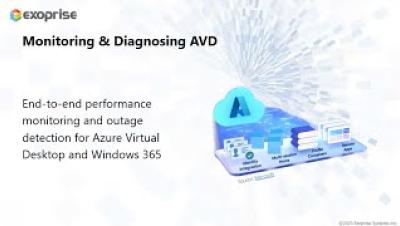
This article covers the benefits and instructions for deploying Service Watch Desktop for end-user devices and Desktop Virtualization platforms such as Azure Virtual Desktop, Windows 365, or Amazon Workspaces. The use of Virtual Desktop Infrastructure (VDI) is on the rise because of remote work, and increased need for security, and outsourcing. The rise of these environments brings the need to proactively monitor and troubleshoot remote virtual desktops - there are lots more moving parts, for sure.
The Microsoft infrastructure makes collecting network traces more complicated. Network traces (tracert) inside and out of the Azure Virtual Desktop virtual machine are valuable when diagnosing support issues or when an end-user calls up complaining of poor Azure Virtual Desktop performance. The following information should help improve the collection of network traces and trace data, which will aid in diagnosing Virtual Desktop Infrastructure connectivity.
Organizations today rely on mobile device management (MDM) solutions to secure and manage corporate resources across a diverse range of devices. One such platform is Microsoft Intune, which offers security, patch, and access control features for mobile and desktop devices. Today, we look at Microsoft Intune and how Exoprise Service Watch helps customers ensure Intune is working well.
As technology advances, operating systems play a vital role in providing a seamless user experience. Microsoft’s Windows OS has been at the forefront, constantly introducing innovative features over time. Two features related to improving the end-user digital experience are the Windows Experience Index (WEI) and Reliability Monitor. These measurements have become instrumental to Digital Experience Monitoring (DEM) in assessing system capabilities and measuring stability.
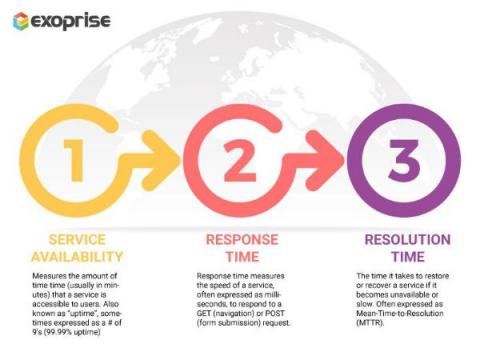
The importance of the network to businesses has increased over the years (obviously). Nowadays, they are the main way that work gets done - they're the main way anything gets done. Consequently, how organizations measure their performance needs to change as well. Rather than just focus on network availability or simple uptime, they need to dig deeper and monitor User Experience. EXperience Level Agreements (XLA) as opposed to the traditional Service-Level Agreements help them reach that goal.
As previously detailed on the Exoprise blog, the ICMP (Internet Control Message Protocol) is crucial for troubleshooting, monitoring, and optimizing network performance in today’s Internet-connected world. Despite historical security concerns, disabling ICMP is unnecessary and hampers network troubleshooting efforts. Modern firewalls can effectively manage the security risks associated with ICMP.
In today’s interconnected world, where network performance is crucial for business operations, understanding the significance of ICMP (Internet Control Message Protocol) becomes paramount. Today’s post sheds some light on the critical role of ICMP and why it should not be disabled despite legacy security concerns. By implementing proper security measures, businesses can leverage the benefits of ICMP while mitigating potential risks.