
Operations | Monitoring | ITSM | DevOps | Cloud

Feature Spotlight: Automatic Testing with Proxymock MCP Skills #aiagents #mcpserver #softwaretesting

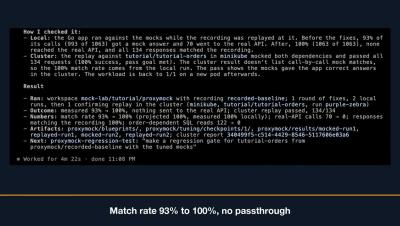
Learn how to integrate your AI coding agent with Speedscale using the MCP server to record, replay, tune mocks, and analyze reports directly within your workspace. Streamline your testing workflow by letting your agent automatically capture traffic, resolve failing responses, and optimize match rates. Learn more: speedscale.com.
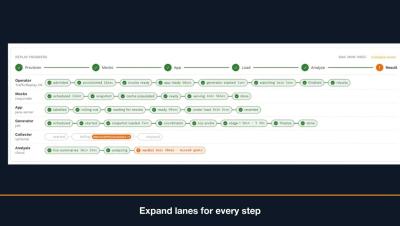

Feature Spotlight: Replay Progress Tracking #kubernetes #mocktest #devops #appperformance

Learn how to track cluster performance in real time using the replay progress panel, which highlights key phases including provision, mock, app, load, analyze, and result. You will also discover how to easily troubleshoot failed runs by expanding component lanes to review specific step reasons and cluster events. Learn more: speedscale.com.

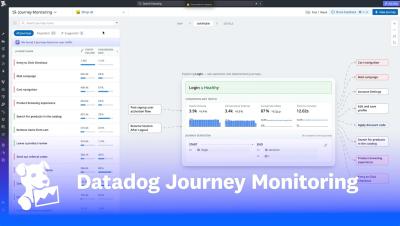
Modal scales the next generation of AI with unified observability from Datadog

Modal is an AI infrastructure company rebuilding the cloud for AI, giving developers easy access to the compute needed to build and scale AI applications without managing the underlying complexity. Operating across more than 20 cloud providers and launching approximately 26 million containers daily, Modal relies on Datadog to unify observability across its infrastructure, applications, networking, and CI—helping its engineers detect 99% of incidents within five minutes, resolve 96% of issues before customer impact, and confidently scale one of the world’s most complex AI platforms.

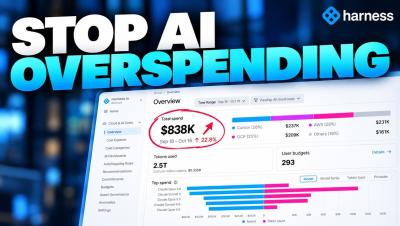
Harness Cost Management Agent | How to Set and Enforce AI Spending Budgets

Control AI spending across your organization with Harness Cost Management Agent's AI User Budgets. In this demo, see how Harness helps teams set, monitor, and enforce AI spending limits across tools like Claude, Cursor, and Amazon Bedrock, all from one centralized control plane. What you'll learn: Set weekly AI spending budgets for users and teams Track AI consumption across multiple tools and models.

Enterprise Vibe Mode: Deploy AI-Built Apps to Production | Harness Demo

Vibe coding makes building applications easier than ever. But how do you take an AI-generated app and safely deploy it to production? In this demo, see how Harness brings Vibe Mode to the enterprise, allowing anyone to deploy applications while automatically applying your organization's security policies, governance, compliance requirements, and deployment configurations. See how Harness enables teams to.

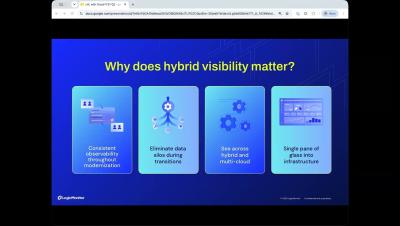
Autonomous IT: Data, Context, and Governed Action | 2H Announcement from LogicMonitor

Autonomous IT requires three things: complete, AI-ready data; connected context; and governed action. In LogicMonitor's 2H announcement, we show enterprise IT and ITOps leaders how each layer works. LogicMonitor is the AI-first platform for Autonomous IT. This update covers the three layers behind autonomous IT operations as the category moves from systems of intelligence to systems of action. Your team decides when Edwin AI moves from recommending an action to taking it.

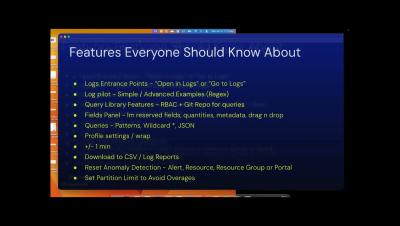
LM Logs Tips: Alert-to-Logs Workflow for Ops Team | Logs for Lunch

LM Logs troubleshooting starts at the alert. This Logs for Lunch session shows ITOps teams an alert-to-logs workflow and lesser-known LM Logs tips. Ryan Matuszewski demos a Tomcat application error. From the alert's Logs tab, he moves through log anomaly detection, All Logs, Log Patterns, and Log Analysis sorted by sentiment. He then opens the Logs page with the alert time range, and the same steps work for any alert type.

Cloud Log Monitoring & Root Cause Analysis | Logs for Lunch

Cloud log monitoring in LogicMonitor connects a service alert to the log event behind it. This Logs for Lunch July demo is for ITOps, CloudOps, and SRE teams. Tom Chavez hosts Ismath Mohideen (Product Marketing) and Nick Doane (Senior Sales Engineer). They cover cloud observability and multi-cloud monitoring across AWS, Azure, GCP, and OCI in LM Envision, using cloud provider APIs with no extra collectors.

SNMP Traps as Logs and Network Troubleshooting | Logs for Lunch

SNMP traps as logs, AI log anomaly detection, and network troubleshooting are the focus of Logs for Lunch: August 2026, for network and IT ops teams and LogicMonitor users. Tom Chavez introduces LM Logs, which keeps logs and metrics together. Cameron Compton troubleshoots dropped tunnel packets from a network operations dashboard, and Ron Scinta ingests SNMP traps through the Collector. Patrick Sites and Kerry DeVilbiss answer questions on load balancing, OTel and Cribl forwarding, MSP log sources, and search performance.