C# Debugging tools and techniques
Working in C#, as with any language, you’ll soon find that that you need to do some debugging. With C#, thankfully, due to a plethora of debugging tools and techniques, troubleshooting is usually straightforward.


Working in C#, as with any language, you’ll soon find that that you need to do some debugging. With C#, thankfully, due to a plethora of debugging tools and techniques, troubleshooting is usually straightforward.
At some point in our careers, many of us have found ourselves working on a project that requires performance tuning. The need to write high performance .NET code should come from performance issues or business needs. Today, we’ll take a look at just a few of the ways we can improve our .NET application’s performance. And hopefully, you’ll take away something that you can use on your current and future products.
Raygun’s Launch Notes are your regular round-up of all the improvements we made to Raygun last month—from major features to performance updates.
On LinkedIn, there are more than thirty thousand U.S.-based DevOps positions. That number may not be as high as it is for software developers, but it’s still higher than sysadmins or systems engineers. Maybe this demand has you interested in switching career paths, or maybe you want to change jobs. If that’s the case, you’re in luck. Today’s post will present some common interview questions that you’ll probably get when interviewing for a DevOps position.
Azure Functions is Microsoft’s solution to serverless computing. While it actually does run on servers, the key difference here is that you aren’t responsible for maintaining the function hosting environment. This is both a blessing and a curse.
Raygun’s Launch Notes are your regular roundup of all the improvements we made to Raygun last month—from major features to performance updates.
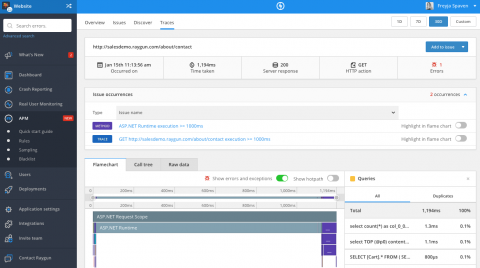
In 2018, we launched many improvements to the Raygun Platform, including the biggest ever addition to Raygun: Application Performance Monitoring (APM). For this article, we wanted to surface our favorite releases from 2018, just in case you missed them.