

















Waltham, MA, USA
2011
  |  By Ritika Bramhe
A missed page at 2 a.m. can turn a minor service degradation into an hours-long outage, an SLA breach, and a costly customer-trust problem. For IT operations, SRE, and DevOps teams, the tool that decides who gets alerted, how, and when someone stops the escalation is a critical piece of infrastructure.
  |  By Michelle Chua
IT Ops teams face two failures that pull in opposite directions: responders interrupted so often that they stop reacting, and a truly critical alert lost inside that same flood. Alert noise and alert fatigue describe those two problems, and treating them as one usually makes both worse. This article shows how to reduce interruptions without making critical incidents easier to miss.
  |  By Ritika Bramhe
A single incident can generate the same alert several times in quick succession. These duplicate alerts create unnecessary noise and alert fatigue, and make it harder for on-call teams to focus on the issue that needs their attention. OnPage Alert Deduplication reduces repeat notifications while preserving visibility into every incoming alert.
  |  By Ritika Bramhe
On June 17, 2025, AT&T permanently shut down its email-to-text and text-to-email gateway. Emails sent to @txt.att.net and @mms.att.net stopped reaching phones, and any automated workflow that relied on that address went dark overnight (AT&T support) . For IT Ops, MSPs, facilities and energy ops and incident response teams, this was not a minor inconvenience.
  |  By Ritika Bramhe
Your monitoring stack never sleeps. Datadog fires a spike, ServiceNow spins up a ticket, your RMM flags a failed backup, and every one of those signals competes for attention across email, dashboards, and chat channels. For IT Ops teams running on-call rotations, the volume itself becomes the problem. Alert fatigue sets in, critical notifications blend into the noise, and the one incident that matters at 3 a.m. gets buried under a hundred that don’t. The cost is real.
  |  By Ritika Bramhe
Choosing a HIPAA-compliant messaging app is rarely about security alone. Healthcare teams need messages that get read, on-call schedules that route to the right provider, and reliability that holds up at 3 a.m. Most apps clear the encryption bar. Fewer guarantee a missed page never happens. Or that critical alerts from medical systems and urgent after-hours calls from a discharged patient reach the right on-call staff.
  |  By Ritika Bramhe
For private medical practices in 2026, secure and efficient communication is non-negotiable. Standard consumer messaging apps like iMessage and WhatsApp are not compliant with privacy regulations and create significant risks for both patients and providers. Adopting a dedicated, HIPAA-secure messaging solution is essential for protecting patient data and streamlining clinical workflows.
  |  By Michelle Chua
Modern IT incidents don’t stick to a 9-to-5 schedule. System failures, security breaches, and performance degradations can happen at any time, and today’s distributed teams must respond instantly, wherever they are. The ability to receive, acknowledge, and manage incidents directly from a smartphone is no longer a luxury—it’s a core requirement for effective incident response in 2026.
  |  By Ritika Bramhe
On-call duty is a high-stakes reality in modern IT and digital ops teams. While essential for ensuring system reliability, the chronic stress it creates doesn’t have to be a given. On-call burnout is a serious threat to your team’s well-being and your organization’s performance, but it isn’t inevitable. It’s a systemic problem, not a personal failing.
  |  By Michelle Chua
The chaos of manual on-call management is a familiar story for many IT Operations teams: frantic phone calls, confusing spreadsheets, missed alerts, and frustrated engineers on the verge of burnout. This reactive approach doesn’t just strain your team; it risks service-level agreement (SLA) breaches and customer churn.
  |  By OnPage Corporation
Learn how to download the OnPage app and create a new account. This quick tutorial walks you through entering your account details, choosing a unique OnPage ID, creating a password, and completing registration. You’ll also learn how to enable notifications and critical alerts so important OnPage alerts can sound and appear on your lock screen—even when your iPhone is muted or Focus mode is enabled.
  |  By OnPage Corporation
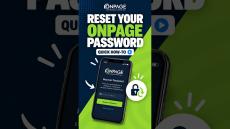
Forgot your OnPage password? Enter your OnPage ID, click Next, and select Forgot Password. Submit the email address associated with your account or your OnPage ID, then click Recover Password. You’ll receive a temporary password by email, which you can use to log in and create a new password. If you don’t see the email, check your spam folder.
  |  By OnPage Corporation
How to Use the OnPage Mobile App Get more out of the OnPage mobile app with this step-by-step walkthrough. In this video, we take an in-depth look at the app’s key features and show you how to use them, from managing alerts and responding to incidents to staying connected wherever you are. Whether you’re new to OnPage or looking for a quick refresher, this guide makes it easy to get started.
  |  By OnPage Corporation
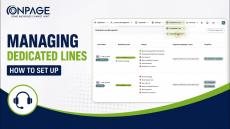
Learn how to set up and manage Dedicated Lines in OnPage. In this step-by-step tutorial, we’ll walk through how to configure your Dedicated Lines to control how incoming calls are received, processed, and routed. You’ll learn how to:✓ Configure basic line details✓ Customize call processing behavior✓ Set up interactive routing menus✓ Add caller instructions and prompts✓ Review and save your Dedicated Line settings.
  |  By OnPage Corporation
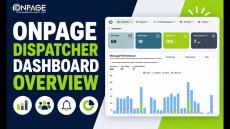
Welcome to the OnPage Dispatcher Console, your central hub for messaging activity and performance insights. In this video, we’ll walk through the main dashboard and show how it gives dispatchers a consolidated view of messaging activity, performance metrics, on-call status, and upcoming schedules, all in one place. See how the OnPage Dispatcher Dashboard helps teams stay informed and maintain visibility into critical communications.
  |  By OnPage Corporation
Need to keep your OnPage schedule in sync with your calendar? In this step-by-step video, we’ll show you how to share an OnPage Web Management Console schedule with your personal Google Calendar or Outlook Calendar. You’ll learn how to: Copy your OnPage schedule subscription URL Add it to Google Calendar Add it to Outlook Calendar Keep your OnPage schedule accessible alongside your other calendar events.
  |  By OnPage Corporation
Learn how to delay OnPage notifications for a defined period so alerts can be queued and sent later without interrupting the on-call team in real time. OnPage’s Delay Notifications option temporarily holds notifications during a scheduled window and delivers the queued alerts afterward as low-priority notifications. This is useful when teams want to reduce interruptions during certain hours at night for use cases that allow them to do so, or planned activities while still preserving alerts for later review.
  |  By OnPage Corporation
Learn how to create and configure a message template in OnPage to make critical communication faster, more consistent, and easier for your team. OnPage message templates are predefined message formats that help teams standardize frequently used communications without having to compose every alert or message from scratch, and can be pulled up on both web message dispatcher and OnPage's phone app. In this step-by-step tutorial, we show you how to navigate to Settings then Template, create a new message template, and configure the information users will see when that template is selected.
  |  By OnPage Corporation
Learn how to suppress OnPage notifications during a scheduled maintenance window so your on-call team isn’t unnecessarily alerted while planned work is underway. OnPage’s Suppress Notifications option temporarily prevents notifications from being sent during a defined period. This is especially useful during scheduled maintenance, planned downtime, testing, or other known activities that could otherwise generate unnecessary alert noise.
  |  By OnPage Corporation
See how OnPage Dispatcher helps teams centralize and streamline time-sensitive communication. In this demo, a request is created in Dispatcher, routed to the appropriate on-call specialist, and tracked through acknowledgment and response. We also show how the communication is bi-directional, and responses can be seen within the dispatcher, with a complete audit trail.
  |  By OnPage
69% of healthcare CIOs said their hospitals see mobile strategies as a key initiative to improve clinical and operational outcomes. At the same time, these CIOs are also worried that enabling the use of mobile devices by clinicians, nurses and admins will significantly harm their institution's security and ability to comply with HIPAA.
  |  By OnPage
In this eBook, Michael Zboray, Gartner's former chief information officer and OnPage's current information and cybersecurity advisor, discusses the current state of cybersecurity operations in the MSP and IT industries.
  |  By OnPage
While monitoring makes it easy to keep track of your IT, getting ahold of the right person when IT fails is often difficult.
  |  By OnPage
Every year, IT teams waste an average of $1.27 million responding to alert noise from false alerts. False alerts not only waste engineers' time, they also make engineers less able to react to real alerts.
  |  By OnPage
Not all IT departments handle critical incidents in the same way. The differences explain a large part of why some teams are successful and others are not. Our latest whitepaper 6 Ways to Improve Incident Management details practical ways for your team to improve its incident management track record.
  |  By OnPage
How much can you afford to lose? It takes 18.5 hours on average to resolve a data center incident. How much will that cost you?
  |  By OnPage
IT teams know that strong escalation policies are like the net under an acrobat. They ensure that if an alert is not heard or cannot be handled by the recipient, the alert won't fall out of view and suffer a quick demise.
  |  By OnPage
In our latest e-book 5 Ways to Enhance Slack through Critical Alerting, we detail ways you and your team can better manage your critical alerts.
  |  By OnPage
In our latest e-book The ChatOps E-Book, we look at how IT teams can get the most out of their use of ChatOps by adding critical alerting capabilities.

OnPage is the industry leading HIPAA secure Incident Alert Management System. Built around the incident resolution life cycle, OnPage’s unique ALERT-UNTIL-READ notifications for up to 8 hours enables organizations to get the most out of their digital investments, ensuring that sensors , monitoring systems , and people have a reliable means to escalate anomaly notifications to the right person immediately.

OnPage’s escalation policies, redundancies, and scheduling algorithms ensure that a critical message is never missed. Infinitely more reliable and secure than emails, text messages and phone calls combined, OnPage reduces incident resolution time by automating the notification process thereby reducing human errors and advancing the digital operations of your business.

Whether to minimize IT infrastructure downtime, or to minimize response time of healthcare providers in life and death situations, organizations are relying on OnPage for all their secure, HIPAA compliant, critical notifications needs.