

|
By Alyssa Lamberti
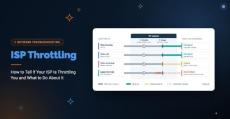
Your connection is fine in the morning and crawls every afternoon. Or video calls stutter while everything else loads normally. Either pattern could be ISP throttling. It could also be network congestion, or a problem inside your own network. ISP throttling is when your internet service provider intentionally slows your connection based on how much data you use, the type of traffic you send, the time of day, or the plan you’re on. Knowing throttling exists is the easy part. Proving it is harder.
|
By Alyssa Lamberti
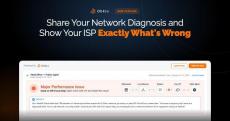
You know the conversation. Calls are choppy, users are complaining, and Obkio shows packet loss on the path to your ISP. You open a ticket, and they reply, "Everything looks fine on our end." Now you're stuck taking screenshots, exporting graphs, and trying to explain data to someone who can't see it. Meanwhile, the problem keeps happening. Today we're launching Shareable Links. With one click, you can create a read-only link to any Network Monitoring Session and send it to anyone.
|
By Alyssa Lamberti
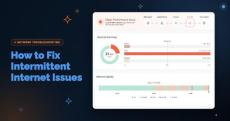
Your Internet circuit is up. The firewall shows the WAN link as connected, your ISP's status page is green, and a speed test comes back at full provisioned bandwidth. Meanwhile, Teams calls at one branch break up for ten minutes every afternoon, and every user at that site sees Salesforce slow to a crawl at the same moment. Then everything recovers before anyone can capture it.
|
By Alyssa Lamberti
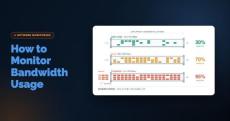
Your Internet link averages 40% utilization, yet users still complain that calls drop and SaaS apps crawl every morning at 9:00. Averages are where bandwidth problems hide. A five-minute polling interval can smooth a 30-second saturation spike into a flat, healthy-looking line. A total-usage graph also won't tell you whether the traffic is a backup job, a compromised endpoint, or an ISP delivering less than you're paying for.
|
By Alyssa Lamberti
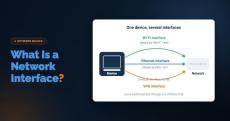
A user opens a ticket: "The Internet is slow." IT checks the network. Bandwidth looks fine, no outages, no alerts firing. They check with the ISP, but nothing on their end either. Everything upstream checks out, and yet the user is still stuck watching a spinning wheel. What rarely gets checked is the one component sitting closest to the problem: the machine's own network interface.
|
By Alyssa Lamberti
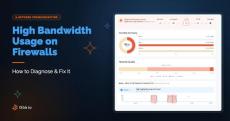
If your network has been feeling sluggish, connections keep dropping, or you're getting alerts that don't point to an obvious cause, high bandwidth usage is one of the most common culprits and one of the hardest to pin down without the right visibility. The tricky part is that "slow network" can mean a dozen different things depending on where the congestion is actually happening.
|
By Alyssa Lamberti
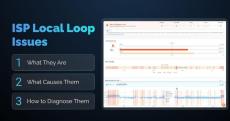
Latency spikes that come and go. Packet loss that shows up for a few minutes, then disappears. None of it traces back to anything on your LAN, your firewall, or your switches because it isn't happening there. It's happening on the physical link between your building and your ISP's network: the local loop. This article covers what the ISP local loop is, what typically goes wrong with it, the most common root causes, and how to diagnose a local loop issue using traceroute data and Obkio Insights.
|
By Alyssa Lamberti
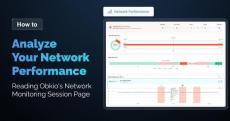
Every pair of Monitoring Agents in your Obkio account create a Network Monitoring Session to monitor network performance between the two agents. Every one of those monitoring sessions comes with its own dedicated page, automatically. You'll find it under the Network Performance tab: click into it, pick a network monitoring session from the list, and the full page loads for that specific connection.
|
By Alyssa Lamberti
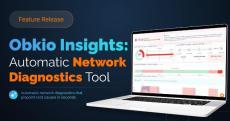
Today, we’re launching Obkio Insights, our biggest feature yet, in beta, and the one we’ve been building toward for 8 years. Insights is launching in beta. That means existing customers can start using automatic network diagnostics today, with more root cause coverage, refinements, and improvements rolling out over the coming months based on real-world feedback. As with any beta, you may run into the occasional bug or rough edge.
|
By Andrii Kernitskyi
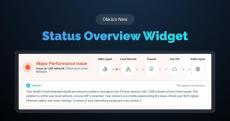
Obkio is making improvements to its network performance monitoring and observability solution, aimed at helping users of every expertise level interpret their data more efficiently. That work isn't just about telling users something is wrong. It's about diagnosing the issue for them. And a big part of that is telling them where the issue is happening, so they know exactly where to direct their troubleshooting effort instead of guessing. The Status Overview widget solves this.

|
By Obkio
Introducing Network Destinations, Obkio's all-new ICMP Monitoring feature. Quick question: are you paying for a second tool just to ping a few IPs? We heard that a lot. So we fixed it. Now, here's the thing about Obkio. We've always been laser-focused on agent-to-agent performance monitoring. Our secret? Distributed monitoring agents. Deploy them at your sites and over the Internet, and you get complete visibility between them, all in the app.
|
By Obkio
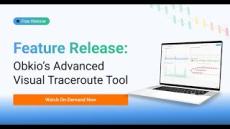
Obkio recently launched the brand new Visual Traceroute Tool. In this snippet from our feature release webinar, Solution Architect, Sam, dives into Network Maps and shows you how to read and interpret the visual data to quickly identify network bottlenecks and performance issues. Learn how to leverage the map view to understand your network topology, spot problematic hops, and make faster troubleshooting decisions with visual context.
|
By Obkio
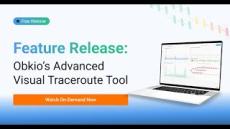
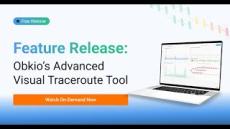
Obkio recently launched the brand-new Visual Traceroute Tool. In this snippet from the feature release webinar, Solution Architect, Sam, shows you how to integrate Visual Traceroutes directly into your custom dashboards for even more powerful network visibility. See how easy it is to add traceroute widgets to your monitoring dashboards, giving your team instant access to hop-by-hop analysis alongside your other key graphs and network metrics.
|
By Obkio
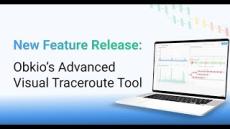
Obkio recently launched the brand new Visual Traceroute Tool. In this snippet from the feature release webinar, Solution Architect, Sam, demonstrates how to use Obkio's integrated Visual Traceroutes in Monitoring Sessions. Watch as he walks through the timeline feature, hop-by-hop visualization, and path change detection, all designed to help you identify exactly where and when network issues occur.
|
By Obkio
Introducing Obkio's New Visual Traceroute: See Your Network Issues, Not Just Hops After years of evolution, we're launching the most advanced Visual Traceroute we've ever built, now fully integrated into the Obkio app. The Journey: What's New:✓ Fully integrated visual network mapping✓ Historical timeline that actually remembers✓ Correlated with Network Performance and SNMP data✓ No extra setup required✓ See the complete story of network issues, not just individual hops.
|
By Obkio
Tired of noisy alerts and overcomplicated SNMP monitoring tools? Learn how Obkio’s SNMP Device Monitoring blends simplicity and intelligence, giving you fewer alerts, better insights and faster troubleshooting so you can resolve network router, switch and firewall issues in minutes. It always starts the same way. You’re managing your network; maybe it’s five devices, maybe it’s five hundred, and everything should be simple. But instead, you’re caught between two extremes.
|
By Obkio
This is a snippet from our full webinar: “Troubleshooting Internet Issues: For Dummies & IT Pros” In this clip, we dive into Obkio’s Sandwich Method, a simple yet powerful approach to monitoring and identifying Internet issues. By placing Monitoring Agents: Inside your LAN At your firewall or in the DMZ And over the Internet…you can break your network into clear segments and pinpoint exactly where performance problems are happening — whether it’s local, at the network edge, or in the hands of your ISP.
|
By Obkio
We created this video for every IT team still relying on guesswork to manage network performance. Here’s the reality: No monitoring = flying blind No alerts = no prevention No visibility = slow troubleshooting, false assumptions, and frustrated users Even the best IT pros need the right tools, just like pilots need instruments. Have you ever thought about: – Why “no complaints” isn’t the same as “no issues”– The hidden cost of poor visibility– How skill only takes you so far without data to back it up.
|
By Obkio
Discover Obkio’s Free Trial in Just 1 Minute! Are you curious about how Obkio works? This quick video gives you a fast, clear look at how our Network Performance Monitoring tool helps you identify, troubleshoot, and resolve network issues before they impact your users.

|
By Obkio
MSP Life Got You Like... Juggling client networks, mystery slowdowns, and finger-pointing? Yup, we’ve been there. In this short clip, we’re breaking down the real pain points MSPs face daily—and how Obkio makes them way less painful. Monitor. Troubleshoot. Breathe easy. MSPs, this one's for you.
|
By Obkio
Download our free white paper highlighting the features & benefits of Obkio's Network Performance Monitoring software.
- October 2026 (3)
- September 2026 (3)
- August 2026 (8)
- July 2026 (5)
- June 2026 (2)
- May 2026 (4)
- April 2026 (3)
- March 2026 (5)
- February 2026 (5)
- January 2026 (5)
- December 2025 (4)
- November 2025 (10)
- October 2025 (14)
- September 2025 (2)
- August 2025 (5)
- July 2025 (8)
- June 2025 (5)
- May 2025 (9)
- April 2025 (5)
- March 2025 (8)
- February 2025 (10)
- January 2025 (6)
- December 2024 (3)
- November 2024 (5)
- October 2024 (7)
- September 2024 (7)
- August 2024 (8)
- July 2024 (5)
- June 2024 (3)
- May 2024 (6)
- April 2024 (10)
- March 2024 (15)
- February 2024 (11)
- January 2024 (14)
- December 2023 (8)
- November 2023 (8)
- October 2023 (11)
- September 2023 (4)
- August 2023 (10)
- July 2023 (11)
- June 2023 (4)
- May 2023 (23)
- April 2023 (14)
- March 2023 (20)
- February 2023 (5)
- January 2023 (2)
- December 2022 (2)
- November 2022 (4)
- October 2022 (4)
- August 2022 (2)
- June 2022 (1)
- May 2022 (1)
- April 2022 (1)
- March 2022 (5)
- February 2022 (5)
- January 2022 (2)
- December 2021 (5)
- November 2021 (2)
- October 2021 (2)
- September 2021 (2)
- August 2021 (1)
- July 2021 (1)
- June 2021 (3)
- April 2021 (1)
- March 2021 (3)
- February 2021 (3)
- January 2021 (2)
- December 2020 (2)
- November 2020 (4)
- October 2020 (4)
- September 2020 (3)
- August 2020 (2)
- July 2020 (2)
- May 2020 (3)
- April 2020 (2)
- September 2019 (1)
Obkio is a simple network performance monitoring solution that allows users to continuously monitor the health of their network and core business applications to improve the end-user experience.
Obkio’s sleek and user-friendly software application diagnoses the causes of intermittent VoIP, video, and applications slowdown in seconds to easily identify the source of a system failure so you can quickly apply the corrective measures before it affects your end-users.