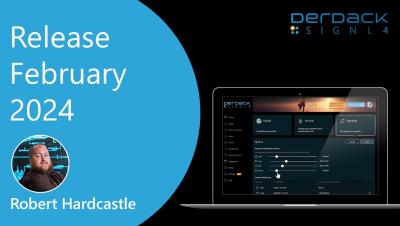
With the new templates in SIGNL4, control over manual alerting becomes more precise. Define who can be addressed and who can send alerts, even across teams! Robert will show you how it works.
SIGNL4 detects when events are resolved automatically, prevents duplicate alerts, and waits for multiple events before sending an alert. This makes alerting more efficient and accurate for your team. Robert will show you where to find these new items and how they work.
In our December update, we have significantly revamped and improved manual alerting. If you need to carefully evaluate incidents before distributing them manually to the respective teams or want to send critical operational updates to relevant personnel, you’ll love the new features we’ve introduced! Additionally, we’ve added intelligent filtering options for automatically incoming events.
In the fast-paced world of IT, having a reliable IT alerting software is crucial to ensure swift issue resolution and minimal downtime. The right IT alerting software not only notifies you of critical incidents but also ensures that your team is equipped with tools to respond promptly and effectively. For 2025, we’ve evaluated the top IT alerting software based on features, usability, and a strong focus on mobile app capabilities.
In today’s fast-paced world, time is money. The faster we can resolve one client’s issue, the quicker we can move on to the next, boosting client satisfaction and maximizing operational efficiency. However, the journey from identifying a problem to resolving it is often prone to delays and human errors. That’s why having an efficient, reliable and fast alert notification process is crucial for driving customer satisfaction and ensuring cost savings.
Our October update brings you AI-based summaries of alarm details. This makes complex or technical content much easier to understand in a matter of seconds. In addition, there is now also a comprehensive audit log, which always logs changes made to the system in a comprehensible manner. As always, you can find all the details in this blog article.
Effective incident alerting is crucial for businesses to maintain smooth operations and customer satisfaction. Incidents often generate multiple alerts, each requiring timely and transparent handling to ensure a swift resolution. Ensuring transparency throughout the incident alert process can be challenging. This is where SIGNL4 steps in, offering a comprehensive solution that enhances transparency at every step of incident alert handling.
Effective incident management is crucial for businesses to maintain smooth operations and customer satisfaction. However, ensuring transparency throughout the incident resolution process can be challenging. This is where SIGNL4 steps in, offering a comprehensive solution that enhances transparency at every step of incident handling.
The SIGNL4 Onboarding series walks users through the process's of SIGNL4 from Signup to Alerts to Settings. Today's video focuses on Scheduling users for duty shifts. Learn how to schedule users for SIGNL4 shifts and about the scheduling options and how they affect your team and schedule. Learn how to create a schedule and then copy this schedule so you only have to create it once. This video is packed with helpful tips to help you get the most out of your account.