Getting Started with Docker and Cloudsmith
A short demo of how to get started with Docker and Cloudsmith, including building and pushing a Docker Image to private Cloudsmith repository and then pulling and running the image.


At Cloudsmith, we are proud of our partnership network. We work hard to collaborate and integrate with the best DevOps tools available. Building performant, modern workflows requires frictionless integrations between tooling. Integrating Cloudsmith repositories with your CI/CD processes facilitates rapid development. Build, test, and deploy/distribute your software in repeatable, performant ways.
Lock your sights on the black box hiding untold vulnerabilities in your repository and shine a light inside to find out what monsters lurk within. Yes, I'm talking about running on-demand security scans against supported packages within your repository. If you are a Velocity or Ultra customer, you can start making use of security scanning today!
We’re a little late to the party. Fashionably late. By now the world knows that DockerHub has removed the free, untraceable goodness of anonymous pulls. How dare they? How dare they build a revolutionary technology, open-source it and give it away for free at a substantial cost to themselves. It’s worth calculating what a couple of petabytes of CloudFront bandwidth would cost, even with a substantial discount. It’s mind-blowing.
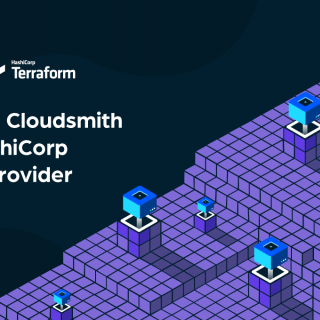
In this blog, we will go through an example of how you can use the Cloudsmith Terraform Provider to provision resources in Cloudsmith, such as repositories and entitlement tokens. HashiCorp Terraform is an awesome Continuous Configuration Automation tool. It is used to provision, update and manage infrastructure resources such as Cloud instances, containers, physical machines and more. It is a firm favourite among developers, due to its brilliant community and mix of power and simplicity.
Our distinguished competition took a puzzling position of “Imagine there’s no versions”. At Cloudsmith we think that’s crazy. Software versions are what makes software development possible. They make deployment possible. They make distribution possible. How else can you understand and navigate complex dependency trees or be sure your code will interact with a third party’s? Hint - you can’t! You must care about versions. And updates.