
Fastest and Most Cost-Effective CI/CD Platforms

Image Source: depositphotos.com
A slow build is frustrating. A surprise bill makes it worse. I compared seven options to help you balance feedback speed, running costs, and upkeep. The right choice depends on your workload, not just the lowest advertised rate.
Sequential/Parallel: Running independent tests together can reduce waiting without reducing total work.
Key Takeaways
- Semaphore is my top value pick for clear rates, parallel jobs, and monthly credits.
- GitHub Actions keeps checks close to GitHub pull requests.
- GitLab CI/CD combines code, pipelines, and security.
- Buildkite suits hybrid setups with dedicated infrastructure support.
- Azure Pipelines fits Windows-heavy teams.
- Jenkins and TeamCity suit teams that want self-hosting control.
How I tested
This is a feature-and-pricing review, not a controlled speed test. I used four criteria:
- Speed: warm-cache builds, startup delays, and handling saved build files.
- Scale: simultaneous jobs, test matrices, and x64, ARM, macOS, or self-hosted runners.
- Resource efficiency: whether you can match machine size and architecture to the work, and what caching is included.
- Cost: free allowances, minute or job billing, storage, transfer fees, and how easily I could estimate a bill.
Treat quoted prices as a starting point. Confirm current rates and limits before committing.
1. Semaphore
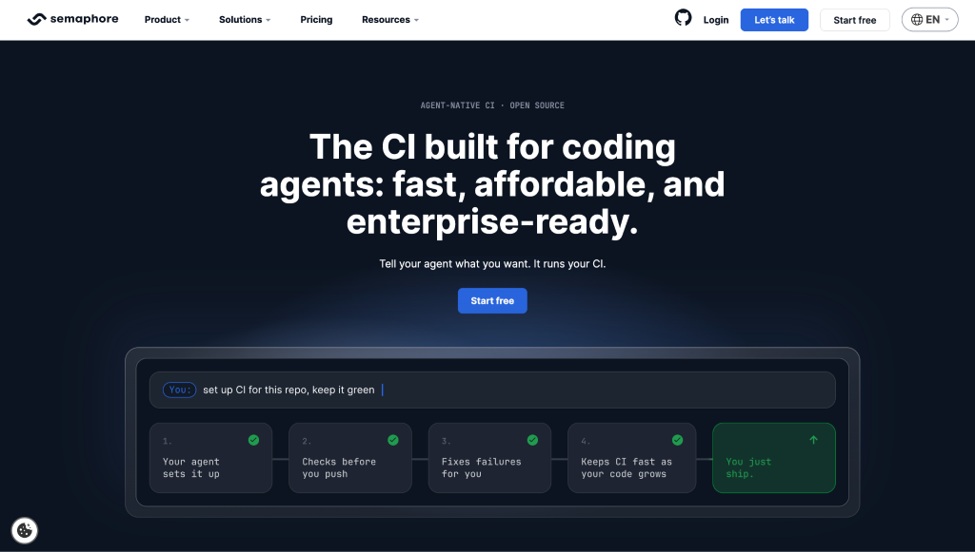
My first stop for teams balancing shorter queues with a manageable bill.
Pros
- Linux x64 2-vCPU runners at $0.0075 per minute
- ARM runners from $0.003 per minute at the same vCPU count
- 20 concurrent jobs by default, with higher limits on request
- $15 monthly credits, roughly 2,000 minutes on that Linux machine
- 9.6 GB cache storage per project, plus self-hosted agents
Cons
- macOS costs more than Linux.
- Registry and cache-server add-ons cost extra.
- Published speed benchmarks are vendor-reported.
My experience
I put it first because the machine rates make the speed-versus-cost tradeoff easy to understand. Twenty default concurrent jobs offer useful headroom for splitting tests, and the monthly credits make a small trial practical.
The architecture choice is where I'd look first for savings: ARM runs at less than half the x64 rate for the same core count, so anything that doesn't need x64 can move across without slowing down. Included per-project caching helps too, since dependency installs are often the slowest repeated step. I like the room to scale without per-seat billing, and I treat the published speed benchmark as a vendor claim rather than an independently verified result.
Pricing
Semaphore lists Linux x64 2-vCPU time at $0.0075 per minute, with $15 in monthly credits, roughly 2,000 minutes on that machine. ARM starts at $0.003 per minute and self-hosted agents at $0.0025, plus your infrastructure costs. Artifacts include 100 GB of storage and 20 GB of data transfer each month. That's fair value when you track total billed minutes alongside completion time.
2. GitHub Actions
This is a straightforward option when your code already lives on GitHub.
Pros
- Checks integrated with pull requests and permissions
- Included minutes across plans
- Matrix builds and concurrency controls
- ARM runners priced below x64, with per-repository cache storage
Cons
- macOS costs much more than Linux.
- Concurrency caps vary by plan; workflow files can sprawl.
My experience
For a GitHub team, I like keeping checks and secrets beside the code. Matrix builds let you test several versions at once. I'd watch workflow duplication as repositories multiply.
The detail that catches teams out is the multiplier on included minutes: Windows and macOS drain the allowance faster than wall-clock time suggests, so an allowance that looks generous disappears quickly on a mixed pipeline. Concurrency headroom is tied to your plan rather than set by you, which matters as the team grows.
Pricing
Quoted Linux 2-core pricing is $0.006 per minute; macOS is $0.062. Included minutes start at 2,000 on Free, with allowances and concurrency caps varying by plan.
3. GitLab CI/CD
A practical option when you want fewer separate tools to manage.
Pros
- Code, pipelines, and security scanning together
- Included compute minutes by tier
- Hosted or self-managed deployment
- Self-hosted runners consume no compute minutes on any tier
Cons
- Compute-minute cost factors take time to understand.
- Shared runners can slow under load.
My experience
I see the appeal of managing code and checks in one place. It reduces the number of tools a team must coordinate. The harder part is predicting usage when runner cost factors change minute accounting.
Those cost factors are the efficiency lever here: a small Linux runner counts at 1x, and larger or specialised machines multiply before deduction, so oversizing a runner burns the allowance several times faster. The escape hatch is that self-hosted runners draw nothing from the pool, which is how many teams scale past the included minutes.
Pricing
Free includes 400 compute minutes monthly, Premium 10,000, and Ultimate 50,000. Extra minutes are quoted at $10 per 1,000 as a one-time purchase, nominally valid for a year; include subscription costs in your comparison.
4. Buildkite
Buildkite fits teams that want hosted coordination with flexible agent placement.
Pros
- Dynamic pipeline steps
- Hosted or self-hosted agents
- 4,000 hosted Linux vCPU minutes included on Pro
- Cache volumes and up to 256 vCPU of concurrency on Pro
Cons
- Enterprise carries a 30-user minimum; Pro caps at 50 users.
- Heavy test analytics usage costs extra.
- Self-hosting adds operational work.
My experience
I see Buildkite as a fit for teams ready to manage their own build capacity. Flexible agents help with infrastructure control, but the seat ceiling on Pro deserves attention before a growing team commits.
Billing by vCPU minute rather than machine minute changes how you size jobs: a large shape costs four times a small one for the same wall-clock minute, so the saving comes from matching the shape to the work rather than defaulting upward.
Pricing
Pro is quoted at $30 per active user monthly, with no seat minimum and a 50-user ceiling. Its hosted Linux allowance is measured in vCPU minutes, not machine minutes, with extra usage at $0.004 per vCPU minute.
5. Azure Pipelines
This option makes sense for Windows-heavy builds and existing Azure DevOps teams.
Pros
- Free hosted allowance and a self-hosted parallel job
- Per-parallel-job pricing
- Microsoft stack support
- Paid parallel jobs carry no monthly minute cap
Cons
- Extra parallel jobs create fixed monthly costs.
- Workflow configuration and permissions can get complicated.
My experience
I would shortlist Azure Pipelines for a team already working in Microsoft's ecosystem. The budgeting question is how many jobs need to run together, rather than just how many minutes builds consume.
Because paid lanes are uncapped on minutes, the model gets more efficient as build volume rises: the cost is fixed per lane of concurrency, so heavy users spread it across far more minutes than light ones. Scaling means buying lanes, which is a step change rather than a smooth curve.
Pricing
The free allowance lists 1,800 hosted minutes and one self-hosted parallel job. Additional hosted parallel jobs cost $40 monthly each; additional self-hosted jobs cost $15 each.
6. Jenkins
Jenkins offers infrastructure control if your team can handle the upkeep.
Pros
- No software license fee
- Large plugin ecosystem
- Parallel pipeline stages
- Flexible agents across your infrastructure
- Full control over machine sizing and architecture
Cons
- Your team owns maintenance and security patching.
- Plugin changes can break builds.
My experience
I'd consider Jenkins when spare hardware and maintenance skills are already available. It remains the reference point in most CI/CD pipeline overviews of open-source automation tooling. Its flexibility comes with work: plugin updates and server care belong in the budget.
Nothing meters your minutes, so efficiency is entirely a function of how well you size and utilise the machines. That cuts both ways: idle agents cost the same as busy ones, and scaling means provisioning capacity yourself rather than raising a limit.
Pricing
There is no license fee. Your real costs are compute, storage, and the engineering time needed to maintain servers, agents, and plugins.
7. TeamCity
TeamCity suits teams that prefer a structured self-hosted setup.
Pros
- Free Professional server with three agents and 100 build configurations
- Clear interface and pipeline tools
- Cloud option billed per committer, with a three-committer minimum
- JetBrains ecosystem fit
- Build reuse that skips work when inputs haven't changed
Cons
- Additional self-hosted agents carry yearly fees.
- Cloud credits make budgeting more complicated.
My experience
I like the free server as a starting point for a small self-hosted setup. Before expanding, I'd map out agent needs, since capacity increases add separate costs rather than one smooth usage bill.
Concurrency scales one agent at a time, each with its own annual fee, so the efficiency question is how much work you can push through three agents before a fourth is justified. Reusing previous build results where inputs are unchanged is the lever that delays that decision.
Pricing
Professional is free within its limits; additional agents are quoted at $359 yearly each. Enterprise starts at $2,399 yearly, while TeamCity Cloud starts at $45 monthly for three committers, then $15 per additional committer.
Compute/Storage/Upkeep: A useful budget includes compute, storage, and maintenance time.
Conclusion
Semaphore is my top pick for clear costs and room to run tests in parallel. It isn't automatically the cheapest or fastest for every workload, but its rates, credits, and default concurrency make it worth trying first.
GitHub Actions is my runner-up for GitHub-based teams, while GitLab suits consolidation. Azure Pipelines fits Microsoft-heavy stacks; Buildkite, Jenkins, and TeamCity offer different approaches to infrastructure control.
Before switching, run one real pipeline with a warm cache. Compare completion time, total billed minutes, and maintenance effort.
FAQs
These checks can help narrow your shortlist.
Which tool will finish my builds fastest?
Test your own workload. Caching, runner size, parallel jobs, and queue time all affect results; a vendor chart cannot predict your exact experience.
How do macOS runners affect cost?
They usually cost more per minute than Linux. Keep Apple-specific checks on macOS and move other work to suitable, lower-cost runners.
Does switching to ARM runners actually save money?
Often, where your toolchain supports it. ARM is cheaper per minute than x64 at the same core count on several platforms, so the saving is real if build times hold steady. Test one pipeline before moving everything.
When does self-hosting save money?
It can help with steady workloads and available hardware. Include cloud charges, patching, security, and staff time before deciding.
Should we stay with our repository provider?
Start there if a simpler setup matters. Then compare a real build elsewhere to see whether speed or cost improvements justify switching.