


- September 2026 (4)
- August 2026 (5)
- July 2026 (8)
- June 2026 (3)
- May 2026 (6)
- April 2026 (12)
- March 2026 (3)
- February 2026 (2)
- January 2026 (1)
- December 2025 (2)
- November 2025 (1)
- October 2025 (3)
- September 2025 (1)
- August 2025 (3)
- July 2025 (1)
- June 2025 (1)
- May 2025 (3)
- March 2025 (7)
- February 2025 (3)
- January 2025 (2)
- November 2024 (2)
- October 2024 (6)
- September 2024 (2)
- August 2024 (2)
- July 2024 (6)
- June 2024 (1)
- May 2024 (2)
- April 2024 (2)
- March 2024 (3)
- February 2024 (1)
- December 2023 (1)
- November 2023 (5)
- October 2023 (2)
- August 2023 (1)
- July 2023 (3)
- June 2023 (1)
- May 2023 (2)
- April 2023 (4)
- March 2023 (1)
- February 2023 (4)
- January 2023 (1)
- November 2022 (2)
- October 2022 (1)
- August 2022 (2)
- July 2022 (1)
- June 2022 (5)
- April 2022 (1)
- March 2022 (2)
- February 2022 (1)
- January 2022 (2)
- December 2021 (3)
- November 2021 (1)
- October 2021 (2)
- September 2021 (5)
- August 2021 (2)
- June 2021 (6)
- May 2021 (4)
- April 2021 (3)
- March 2021 (6)
- February 2021 (2)
- January 2021 (4)
- December 2020 (6)
- November 2020 (2)
- October 2020 (5)
- September 2020 (8)
- August 2020 (5)
- July 2020 (6)
- June 2020 (7)
- May 2020 (6)
- April 2020 (10)
- March 2020 (7)
- February 2020 (7)
- January 2020 (3)
- December 2019 (2)
- November 2019 (4)
- October 2019 (4)
Made for teams that want to build high quality Ruby and Elixir applications, AppSignal offers amazing insights into errors and performance issues, plus host monitoring and an easy to use custom metrics platform.
AppSignal supports the Elixir language with an Elixir package. The package supports pure Elixir applications and frameworks including Phoenix, Plug & Erlang.
AppSignal supports the Ruby language with a Ruby gem. The gem supports many frameworks and gems including Capistrano, DataMapper, Delayed Job, Grape, MongoDB, Padrino, Rack, Rake, Resque, Ruby on Rails, Sequel, Shoryuken, Sidekiq, Sinatra & Webmachine.
AppSignal now supports Node.js! The package supports pure JavaScript applications and TypeScript applications, and can auto-instrument various frameworks and packages with optional plugins.
AppSignal also has amazing support for catching errors from Front-end JavaScript applications and sending them to AppSignal, including the React, Vue, Angular, Ember, Preact & Stimulus frameworks.
Packed with features:
- Alerts in your tools: AppSignal integrates with Slack, Flowdock, HipChat, OpsGenie and more.
- Control your notifications: AppSignal notifies you exactly when you want to. Get the first exceptions per deploy, all of them of never. Set thresholds for performance notifications.
- Amazing support: We don't do "first line" and "second line" support: you get to speak with a developer, immediately.
- Send to issue trackers: A single click creates an issue with all the necessary details in your issue tracker of choice.
- Manage teams and users: Add users to teams and give them access to specific or all, existing and/or new applications you monitor.
- Focus on design: Developer tools do not need to be complicated and ugly. Our interface is kept clean and easy to use.
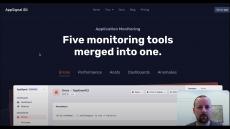
Catch errors, track performance, monitor hosts, detect anomalies — all in one tool.