














Nuremberg, Germany
2009
  |  By Johannes Rauh
Clusters get retired. A test cluster is torn down, a workload moves to a new environment, a provider contract ends. Icinga for Kubernetes does not know about any of that. Since v0.3.0, several clusters can write into one shared database, and Icinga for Kubernetes Web shows them side by side. But stopping or uninstalling the daemon for a cluster leaves all of its data in place.
  |  By Jan Schuppik
What happens when you treat the service grid like a screen. Every now and then a side project starts as one thing and quietly turns into something much sillier. Mine started as a way to get more comfortable with the Icinga 2 configuration. It ended with a question nobody asked: can the service grid in Icinga Web play GIFs? Spoiler: kind of. And on the way, I learned a lot about how Icinga 2, Icinga DB and Icinga Web work together.
  |  By Blerim Sheqa
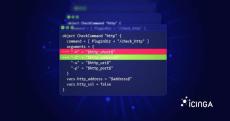
Monitoring as code means defining hosts, checks, thresholds and notification rules in version-controlled files, and deploying them through review and automated validation, the same way infrastructure as code handles servers and networks. With Icinga you can do this with plain configuration files in Git, the Ansible collection maintained by NETWAYS, the Puppet modules maintained by Vox Pupuli, the Icinga Director, or the REST API from tools such as Terraform.
  |  By Bastian Lederer
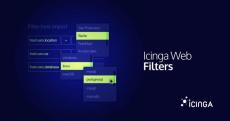
An Icinga Web filter is a chain of conditions, each one a column, an operator, and a value, combined with & and |. You type it into the search bar of Icinga DB Web, but the same syntax shows up in URLs, dashboards, role restrictions, and the event rules of Icinga Notifications Web. This post covers the whole thing: operators, wildcards, grouping, and filtering all the way down into arrays and dictionaries.
  |  By Florian Strohmaier
When I first tried Claude Design, shortly after it was released, I wasn’t impressed. As an every day Figma user, I missed the option to manipulate elements directly, especially for fine tuning details. What I overlooked at that point was the fact that it is really good at generating different options efficiently. Most of them aren’t usable, but getting these options suggested helps when exploring and combining different approaches and ideas.
  |  By Ravi Srinivasa
Icinga Director 1.12.0 is out now. This release finally gives custom variables full support for dictionaries, fixes a long standing bug that broke user group restores, and raises the module’s minimum requirements to match the rest of the Icinga Web ecosystem. You can find issues and feature requests related to this release on our roadmap.
  |  By Blerim Sheqa
Icinga and Checkmk are the two open-source monitoring tools that turn up most often on the same shortlist. Both monitor IT infrastructure, and on a feature list they look close to interchangeable. In practice they are built on different assumptions, and those assumptions decide which one fits. This page works through the differences section by section: setup, customization, integrations, Windows, distributed monitoring, multi-tenancy, licensing, and cost.
  |  By Johannes Schmidt
Running Icinga 2 in a rootless Podman container is pretty straightforward, it works just the same as on Docker, so all the examples on our Docker Hub page work as expected. For example this one to generate certificates and initialize the master configuration: Same as with mounting some existing configuration into the container: But once you want to combine the two, for example to store the certificates on the host and mount them into the container, generating or renewing certificates will fail.
  |  By Alexander Klimov
The ability to log into all corporate applications with one username and password is pretty convenient, even compared to a password manager. As a benefit, the IT department can centrally enforce one desired two-factor auth mechanism. Now we, Icinga, also provide a so-called OpenID Connect integration for single sign-on. By the end of this text you’ll know how to connect your Icinga Web instance to the ID provider of your choice.
  |  By Ravi Srinivasa
Icinga Director’s CLI commands have supported import sources and sync rules for a long time, which includes listing, checking and running them. Before Icinga Director v1.11.6 two things you couldn’t do from the CLI, though, were narrowing a health check down to a single object, or deleting an import source or sync rule without opening the web UI. I’ll walk through both, using examples.
  |  By Icinga
Most content comparing monitoring and observability stays at the definitional level: three pillars, metrics versus traces, known and unknown unknowns. This session skips that and looks at the operational side instead.
  |  By Icinga
Most Icinga Web installations start with one admin account, local users and the default role. That works until the setup carries real operational weight and more than a handful of people log in. This webinar walks through the authentication and authorization features Icinga Web ships today, and shows the configuration behind each of them.
  |  By Icinga
We walk you through the OTLPMetricsWriter, the new feature in Icinga 2 v2.16 that exports check plugin performance data as OpenTelemetry-compliant metrics via the OTLP HTTP protocol straight into Prometheus, Grafana Mimir, VictoriaMetrics and any OTLP-compatible backend.
  |  By Icinga
Declarative Icinga Monitoring Configuration with Terraform In this hands-on webinar, we show you how to define and manage your Icinga 2 monitoring configuration as code using the Terraform Icinga 2 Provider. We walk you through the complete workflow: from setting up the provider and authenticating against the Icinga 2 API to creating and managing hosts, host groups, services, check commands, users, and notifications, all declared in Terraform configuration files.
  |  By Icinga
Managing Windows environments without proper monitoring means flying blind. In this hands-on webinar, we show you how to get Icinga for Windows up and running and make the most of its powerful built-in features for monitoring your Windows servers and workloads. This webinar was held on April 23, 2026. We walk you step by step through the installation process, cover the core components of Icinga for Windows, and show you how to configure meaningful checks so you can detect issues before they become outages.
  |  By Icinga
Take the next step with Icinga by adding the powerful configuration management tool Icinga Director to your setup. In this second part of our installation guide, we focus on simplifying and scaling your configuration using the Director. You’ll learn how to connect it to your existing Icinga 2 instance, create reusable templates, and start monitoring hosts and services through a more flexible, web-based interface.
  |  By Icinga
Get up and running with Icinga 2 and Icinga Web in this step-by-step installation guide. In this video, we walk you through a complete base installation of Icinga, covering everything from setting up the database to accessing the web interface for the first time. This will help you get to the point of a working installation, especially if you're new to Icinga. We take you through the full process, including installing required components, configuring databases, enabling services, and completing the web setup wizard.
  |  By Icinga
Managing monitoring environments shouldn’t be a manual chore. In this hands-on webinar, we show you how to fully automate your Icinga infrastructure using the Ansible Collection for Icinga. We take you step by step through everything from installing Icinga 2 to configuring master instances, setting up monitoring agents, building core objects, and integrating common components like Icinga Web, all driven by Ansible.
  |  By Icinga
Modern monitoring is not just about alerting, it’s about reducing noise, protecting on-call engineers from burnout, and improving incident MTTR through context-aware workflows. Icinga Notifications helps teams achieve just that with configurable, extensible alert processing built for scale. This webinar was held on February 17, 2026. We dive into the brand-new Icinga Notifications capabilities, a modern approach to alerting and incident workflows tailored for complex, dynamic infrastructures.
  |  By Icinga
Starting from a clean installation, we will guide you through the complete setup process and create a first monitoring configuration together. You will learn how to navigate the Icinga Director interface, discover its main features, and see how automation can simplify your daily work through data imports and synchronization rules. You'll learn: Resources: Some more questions from the FAQ section, we want to answer.

Icinga is an open-source monitoring tool for networks, servers, and applications. It checks the availability and performance of hosts, services, and network devices across complex, distributed environments, sends notifications on errors and recoveries, and collects performance data for reporting and dashboards.

Icinga began as a fork of Nagios® in 2009, but its current core, Icinga 2, is a complete rewrite. Configuration works with Icinga Director or the Icinga 2 DSL and REST API, and a master-satellite architecture handles distributed monitoring at scale. Nagios® plugins remain compatible, so existing checks port over.

Icinga is used by sysadmins and IT teams to monitor large enterprise environments, from a few hundred to tens of thousands of hosts, and millions of individual checks. It exports performance data natively in the OpenTelemetry format, feeding metrics into backends such as Prometheus, Grafana Mimir, VictoriaMetrics, InfluxDB, and Elasticsearch without extra glue code.