
|
By Melese M
GitLens 19.4 makes it easier to get into your repository, understand your Git history, and start working without extra setup. The biggest change is simple: the Commit Graph is now available without a GitKraken account for public and local repositories. Open GitLens, open the Graph, and start exploring. No sign-in required. For private repositories, GitLens also gives you a 3-day preview of the Commit Graph without requiring an account, so you can experience the workflow before deciding what comes next.
|
By Jade Nangah
If your engineering team operates under compliance constraints, code review is about more than catching bugs. It’s where security policies get enforced, audit trails get documented, and institutional knowledge gets shared. Choosing the right code review platform determines how quickly your developers move from pull request to production. GitKraken gives enterprise development teams a unified DevEx platform that connects code review, pull request management, and collaboration into a single workflow.
|
By Jade Nangah
If your team runs on Jira, the Git platform you choose can either accelerate your workflow or slow it to a crawl. Commits that never show up in your sprint board, branches that don’t link back to tickets, and pull requests that exist in a parallel universe from your backlog: these are the friction points that stack up fast for Jira-centered teams.
|
By Jade Nangah
AI coding agents are rewriting the rules of software development, but running multiple agents across a real codebase creates a coordination challenge that traditional editors and terminals weren’t built to solve. That’s where agentic development environments come in. An agentic development environment (ADE) gives you a dedicated surface for launching, orchestrating, and reviewing the work of several AI coding agents at once.

|
By Jade Nangah
A Git merge conflict happens when two branches edit the same line of code in different ways. Git can’t decide which version to keep, so it pauses the merge and asks you to step in. The longer a conflict sits unresolved, the harder it becomes to untangle. This guide walks you through eight clear steps to identify, fix, and verify merge conflicts during your branch merging workflow. GitKraken gives you a visual merge tool that turns this process from guesswork into a few confident clicks.
|
By Jade Nangah
Your team ships more code than ever, but are your pull requests keeping pace? As AI-assisted development accelerates output, code review collaboration platforms have become the difference between shipping confidently and merging blindly. The right platform connects your review workflows, surfaces context where you need it, and keeps collaboration flowing across distributed teams.
|
By Jade Nangah
Your distributed team just merged three branches at once, and the commit graph looks like a plate of spaghetti. Choosing the right version control platform determines whether that scenario ends in a five-minute fix or a full afternoon of detective work. GitKraken gives you a visual, cross-platform approach to Git that turns complex repository management into a clear, collaborative workflow.
|
By Jade Nangah
Running one AI coding agent is productive. Running five of them at once across three repositories? That’s a coordination problem. Agentic development environments (ADEs) give you a single surface to orchestrate multiple agents, review what each one changed, and get code merged. Kepler by GitKraken is one of the most capable options in this growing category. It’s built around agent-agnostic orchestration and Git workflow control from backlog to merged PR.
|
By Jade Nangah
Code review in a Jira-centric workflow can become a bottleneck fast. Pull requests pile up, context gets lost between your Git host and your issue tracker, and reviewers spend time switching tabs instead of reading code. The right code review platform should connect Git activity directly to the issues you’re tracking.
|
By Chris Griffing
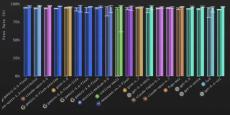
I built GitBench because I was curious about how well models did git things. It turns out that it was a good idea because some models will surprise you. Some of the frontier models were remarkably bad and some cheap open models punched above their weight class. But, as they say, “the times they are a changin’”. Before I go too deep into the latest results, you may want to read up on GitBench and what it is and why I built it in the previous blog post.
|
By GitKraken
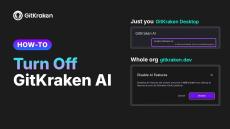
Let's talk about 2 ways to turn off GitKraken AI: for your own account in GitKraken Desktop, and for everyone in your organization from gitkraken.dev. Turn off GitKraken AI for your account (GitKraken Desktop) Turn off GitKraken AI for your organization (admins and owners) Optional: limit AI providers On the same Security controls page, under Enforce AI providers, turn off any provider you don't want your organization to use.
|
By GitKraken
Ready to interact with the stack? GitKraken Desktop 12.6 makes it easier than ever to ship large features and manage multi-task terminal workflows without context switching or losing track of your work. What's new in 12.6: Stacked GitHub Pull Requests: Start a pull request stack against a branch that already has an open PR to break large feature branches into smaller pieces. Stack Visibility Everywhere: View stack position, status, and sequence numbers across the Left Panel PR list, the Pull Request view, and the Commit Graph.
|
By GitKraken
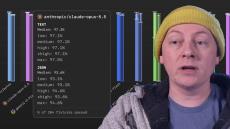
In this video I go over what GitBench is, how to read its results, and some of the interesting things we can see in the results themselves. Chapters: For some reading on GitBench check out these two blog posts.

|
By GitKraken
Our Director of Engineering on why watching an agent's raw text log doesn't work, and why Kepler now shows you a graph instead.
|
By GitKraken
AI feels faster. Make sure it is. GitKraken Insights shows engineering leaders the real cost, output, and ROI of their AI investment, per tool, per team, per developer. Then it gives every developer their own data and coaching to get more from it. 84% of developers say they feel more productive with AI. Only about one in five can actually measure the impact.* With GitKraken Insights, you can: We run on it ourselves: GitKraken's own engineering org reached 2.53x output in six months.
|
By GitKraken
In Kepler ADE by GitKraken, you can connect and use whichever AI coding agents fit your workflow. This video shows how to configure agents, set defaults, manage multiple accounts, and run parallel sessions.
|
By GitKraken
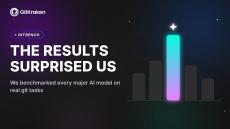
Most AI model benchmarks measure general coding ability or reasoning. GitBench, built by GitKraken developer advocate Chris Griffing, measures something narrower and more practical: how well a given AI model handles specific Git tasks, starting with commit squashing, identifying which commits in a messy history should be combined into one clean commit.

|
By GitKraken
What if you could counterspell an agent action? GitKraken Desktop 12.4 pulls the whole AI agent workflow into one place, so you stay in the flow. Back in 12.0 we shipped Agent Sessions, where you kick off AI coding agents right inside the context of your repo. GitKraken 12.4 builds on that. What's new in 12.4: This release is not about handing more of your work to agents. It's about seeing everything they do, and deciding what actually changes.
|
By GitKraken
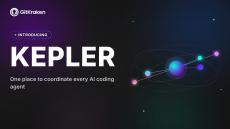
Kepler is GitKraken's new agentic development environment (ADE), and it's now in public preview for Windows, Mac, and Linux. If GitKraken Desktop is built to go deep on one repository, Kepler is built to go wide: one task, multiple repositories, multiple AI agents, tracked in a single place instead of a dozen open terminals.
|
By GitKraken
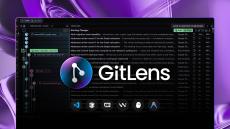
GitLens 19 is here, with a reimagined Commit Graph built to be your workbench for modern parallel development. See what’s happening across branches, worktrees, and supported coding agent sessions, then move the work forward without constantly jumping between views and tools.
- October 2026 (11)
- September 2026 (17)
- August 2026 (28)
- July 2026 (14)
- June 2026 (7)
- May 2026 (20)
- April 2026 (12)
- March 2026 (13)
- February 2026 (10)
- January 2026 (11)
- December 2025 (2)
- November 2025 (11)
- October 2025 (15)
- September 2025 (10)
- August 2025 (10)
- July 2025 (20)
- June 2025 (8)
- May 2025 (5)
- April 2025 (3)
- March 2025 (9)
- February 2025 (6)
- January 2025 (14)
- December 2024 (6)
- November 2024 (18)
- October 2024 (10)
- September 2024 (19)
- August 2024 (6)
- July 2024 (27)
- June 2024 (27)
- May 2024 (26)
- April 2024 (29)
- March 2024 (28)
- February 2024 (27)
- January 2024 (16)
- December 2023 (29)
- November 2023 (22)
- October 2023 (8)
- September 2023 (9)
- August 2023 (7)
- July 2023 (2)
- June 2023 (2)
- May 2023 (4)
- April 2023 (5)
- March 2023 (5)
- February 2023 (6)
- January 2023 (10)
- December 2022 (3)
- November 2022 (2)
- October 2022 (3)
- September 2022 (5)
- August 2022 (3)
- July 2022 (4)
- June 2022 (5)
- May 2022 (5)
- April 2022 (6)
- March 2022 (4)
- February 2022 (4)
- December 2021 (4)
- November 2021 (15)
- October 2021 (2)
- September 2021 (6)
- August 2021 (1)
- July 2021 (4)
- June 2021 (1)
- May 2021 (2)
- January 2021 (3)
- November 2020 (2)
- October 2020 (3)
- September 2020 (2)
- August 2020 (3)
- July 2020 (3)
- June 2020 (3)
- May 2020 (2)
- April 2020 (3)
- March 2020 (4)
- February 2020 (5)
- January 2020 (5)
- December 2019 (2)
- November 2019 (3)
- October 2019 (1)
- September 2019 (2)
- August 2019 (3)
GitKraken is on a mission to make Git easier, safer and more powerful across multiple surfaces and environments that development teams use.
Over 10 million developers from more than 100,000 organizations worldwide rely on GitKraken to get their work done. Since 2014, we've been rapidly developing the legendary cross-platform tools while reimagining an intuitive, visual approach to Git. Our team is dedicated to making tools that help software developers be more productive using Git, it's truly our passion. We develop software that's in use by the world's most elite companies like Apple, Google, Microsoft, Amazon, and thousands of other leading organizations.
We Make Git Tools Devs Love.