Operations | Monitoring | ITSM | DevOps | Cloud

How to collect, customize, and manage Rails application logs

Logging is an important part of understanding the behavior of your applications. Your logs contain essential records of application operations including database queries, server requests, and errors. With proper logging, you always have comprehensive, context-rich insights into application usage and performance. In this post, we’ll walk through logging options for Rails applications and look at some best practices for creating informative logs.

Collecting and monitoring Rails logs with Datadog

In a previous post, we walked through how you can configure logging for Rails applications, create custom logs, and use Lograge to convert the standard Rails log output into a more digestible JSON format. In this post, we will show how you can forward these application logs to Datadog and keep track of application behavior with faceted log search and analytics, custom processing pipelines, and log-based alerting.

Feature Focus: Audit Log

Accountability is an important part of the work IT professionals do, especially when it comes to security and outages. A minor change by a single tech or engineer can crash entire systems, and it’s sometimes crucial to question that person on their methods and changes to determine a solution. Accountability is especially important when several people are regularly using the same tool.

Introducing: The StatusCake + Telegram Integration

Today we’ve further expanded our list of alerting integrations, with the introduction of Telegram you now have a new way to receive fast, cloud based and private notifications from the StatusCake app, on the platform and operating system of your choice. Telegram has all of the industry standard features, along with some handy unique ones for good measure. The software will enable you to access your messages from multiple devices.

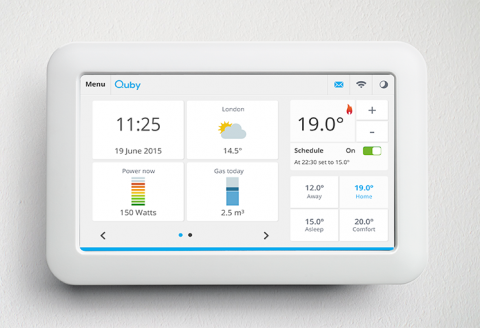
Monitoring and securing Java apps at Quby.

Moving to a Docker-based cloud for Java apps orchestrated by Mesos Marathon required a different approach to monitoring and security for Quby, the Amsterdam-based developer of smart home solutions and maker of smart thermostat and service platform ‘Toon.’ That’s when they found Sysdig. The Sysdig Cloud-Native Intelligence Platform helps Quby resolve issues faster, and reduces monitoring system administration effort by 400%.

Server monitoring best practices: 9 dos and don'ts

Have you ever had responsibility for an application and been the last to know about an outage? I have, and it’s terrible. You go to check your phone in the morning over coffee, after waking up, and you see a flood of missed calls and tons of emails. Customers are angry. Your boss is demanding to know what’s happening. Even the company’s executives are involved. How did this happen?

Tackling the top four challenges of Azure SQL Database monitoring

With large enterprises increasing their focus on public cloud providers, Microsoft Azure continues to have a strong foothold in the hybrid cloud industry. Azure adoption increased a whopping 11 percent last year from 34 to 45 percent, reveals the latest survey by RightScale.

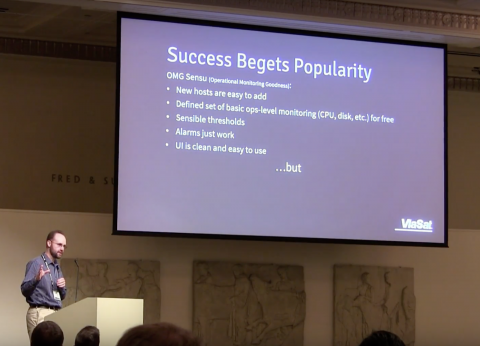
Migrating to Sensu, as told by a Nagios refugee

One of our favorite stories at Sensu is hearing how our customers are using, repurposing, and even replacing their Nagios setup. The Sensu monitoring event pipeline lets you run your existing Nagios plugins while also preparing you for what’s next; while Nagios has been tried and true for many, Sensu empowers businesses to modernize their infrastructure with a comprehensive, future-proof monitoring solution.

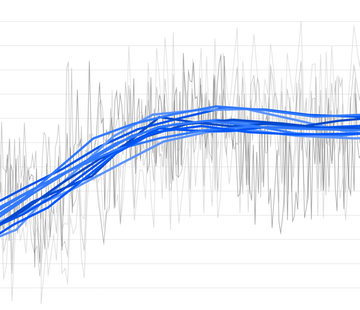
Auto-smooth noisy metrics to reveal trends

Datadog makes it easy to correlate, compare, and visualize metrics from your infrastructure and applications. Some metrics, however, are inherently so noisy that the graphs become unreadable (the dreaded spaghettification problem), and you lose the ability to extract essential information about trends and large-scale deviations. For cases like these, we provide several smoothing functions that help you identify trends in your metrics.