Operations | Monitoring | ITSM | DevOps | Cloud

Top metrics for Elasticsearch monitoring with Prometheus

Starting the journey for Elasticsearch monitoring is crucial to get the right visibility and transparency over its behavior. Elasticsearch is the most used search and analytics engine. It provides both scalability and redundancy to provide a high-availability search. As of 2023, more than sixty thousand companies of all sizes and backgrounds are using it as their search solution to track a diverse range of data, like analytics, logging, or business information.

Sponsored Post

Build the ROI Case for Improving Employee Digital Experience

Budgeting for user experience management solutions has been dynamic recently. When the pandemic hit, corporations freely opened the purse strings to ensure that employees had the tools to work outside the traditional office. The Return on Investment (ROI) for improving the overall Digital Employee Experience (DEX) didn't matter so much. With inflation now the main topic in executive meetings, the strings for DEM/DEX investments have been drawn tighter. Gartner has published a report titled "Market Guide for Digital Experience Monitoring" which states that "enterprises that invest in DEM solutions can expect a 30% reduction in Mean Time to Resolution (MTTR) and a 20% reduction in downtime."

Sponsored Post

Cloud Transformation Strategy & Solutions

Cloud transformation is real. And it's spectacular. According to global business management and consulting firm McKinsey & Co., cloud transformation is the engine driving $1 trillion in economic activity for Fortune 500 companies alone. Innovations enabled by the cloud touch nearly every aspect of running a successful business, including the development of new products and services, access to new customers and markets, frictionless transactions, streamlined communication and collaboration, and access to talent without concern for traditional geographic barriers.

Sponsored Post

Debugging tips for common issues with cloud-based applications

Debugging in a cloud environment can be tricky, as it involves multiple layers of abstraction and virtualization. Unlike traditional on-premise environments, cloud environments are highly distributed and dynamic, making it challenging to identify and troubleshoot issues. One of the biggest challenges with debugging cloud applications is the need for more visibility into the underlying infrastructure and the complexity of the application architecture. Fortunately, pinpointing and resolving the cause of the issue is much more manageable with server-side monitoring, detailed error reporting and cloud debugging solutions.

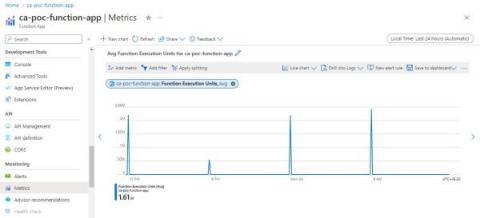
Understanding Azure Function App Metrics

This article will focus on the metrics side of Azure Functions and features offered by the Azure Portal and then talk about the value of Serverless360. Then about the product that provides beyond the primary feature set in the Azure Portal, which will help you improve the day-to-day operations of your Azure solution. There are many different ways you can manage and operate Azure Functions and features like Application Insights which can also help you with Azure Functions.

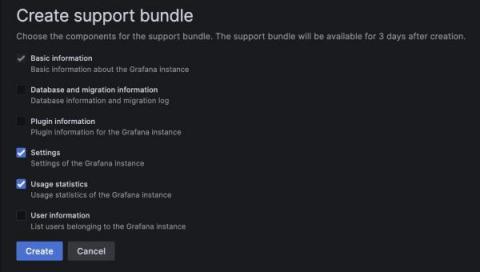
New in Grafana 9.5: Debug Grafana instances faster with support bundles

With the arrival of Grafana 9.5, we’re excited to introduce Grafana support bundles — a tool to help debug your Grafana instance faster and more easily. Support bundles provide a simple way to gather and share information about your Grafana instance, and this feature is available across all tiers in Grafana Cloud as well as in Grafana OSS and Grafana Enterprise.

Prioritizing Defects with the New Auto Grouping Feature

BugSplat's new auto-grouping feature is a powerful way to automatically group crashes in a way that's meaningful to your team. Normally, crashes are grouped by the top of the call stack. But sometimes this grouping isn't ideal. For example, if the top of your call stack is KERNELBASE!RaiseException (a Windows OS function) you'd probably prefer the crashes were grouped by a different stack frame. That's what BugSplat's auto-grouping feature does!

How to use Elasticsearch and Time Series Data Streams for observability metrics

Elasticsearch is used for a wide variety of data types — one of these is metrics. With the introduction of Metricbeat many years ago and later our APM Agents, the metric use case has become more popular. Over the years, Elasticsearch has made many improvements on how to handle things like metrics aggregations and sparse documents. At the same time, TSVB visualizations were introduced to make visualizing metrics easier.

Profiling from Sentry: Identify and Eliminate Performance Bottlenecks with Code-level Insight

Users are complaining about slow load times and you’ve thrown logs, traces, and metrics — heck, the entire kitchen sink of performance monitoring — at your application, but you still can’t figure out the source of the bottleneck. Maybe you missed adding instrumentation to something in the critical path, or you’re simply testing in an environment vastly different from the ones your users are experiencing in production.